How to Get Daily Marketing News as an E-Commerce Founder — Without Losing Your Morning
Published July 3, 2026
It's 7 a.m., and Meta changed its ad rules overnight — again. Your Advantage+ campaigns are already spending against a policy you haven't read yet.
Good news — you're in the right place! You can replace that morning scramble with one short email. Setup takes about two minutes, and the first edition is free.
In this guide, I'll show you how to get daily marketing news for your store with MorningMail — a tool I built where an AI agent searches the web every morning and writes the brief itself: ad-platform changes, SEO updates, consumer signals.
So, let's dive in — it's really easy! 😊
What you'll build
Generic marketing newsletters are written for everyone, which means they're written for no one. A bit of B2B, a bit of brand gossip — and the two paragraphs that actually concern your store buried somewhere in the middle. You need the opposite: depth on the channels that drive your revenue, silence on the rest.
Couldn't Google Alerts do that? Honestly — no. An alert just forwards links that match a keyword, press releases and SEO spam included. MorningMail's agent searches fresh sources every morning, weighs what actually changed, and writes the email itself — full sentences, every claim linked to its source so you can verify before you act.
And your prompt carries your context permanently. Tell it once that you run a home-goods store on Shopify, and every future edition already knows. Launching in France next quarter? Add one line. That's all the upkeep there is.
See it live: the latest edition
So here's a real example. This is the edition from October 5, 2026 of exactly this newsletter — written by the agent that morning, based on the example prompt from this guide. Not a mockup: I run it myself on MorningMail.
Edition from October 5, 2026
FTC settles wine distributor case, thin day otherwise
FTC Wine Distributor Settlement
The FTC just proved scale abuse still triggers enforcement.
On Friday, the Federal Trade Commission settled with the largest U.S. distributor of wines and spirits over allegations that it discriminated against small and independent businesses [Quelle: Federal Trade Commission]. The case spotlights how dominant distributors can leverage scale to squeeze independent retailers out of shelf access and pricing—a playbook that mirrors marketplace platform enforcement we've tracked all year. Expect similar pressure on dominant logistics and fulfillment players next.
 The Federal Trade Commission said Friday it settled with the largest ...23 hours ago ... Buying wine online is another ... marketplace entrants by enforcing existing laws that promote competition and modernizing outdated alcohol regulations.facebook.com
One click creates your own editable copy — change the prompt, the delivery time, everything.
Browse all editions →You could get this general version into your inbox right now — and then fine-tune it to your very specific needs. Here's how to do it:
Step by step: from zero to your first edition
The whole setup takes about two minutes. And every screenshot below comes straight from the real product — nothing is mocked up.
Step 1 Open morningmail.ai
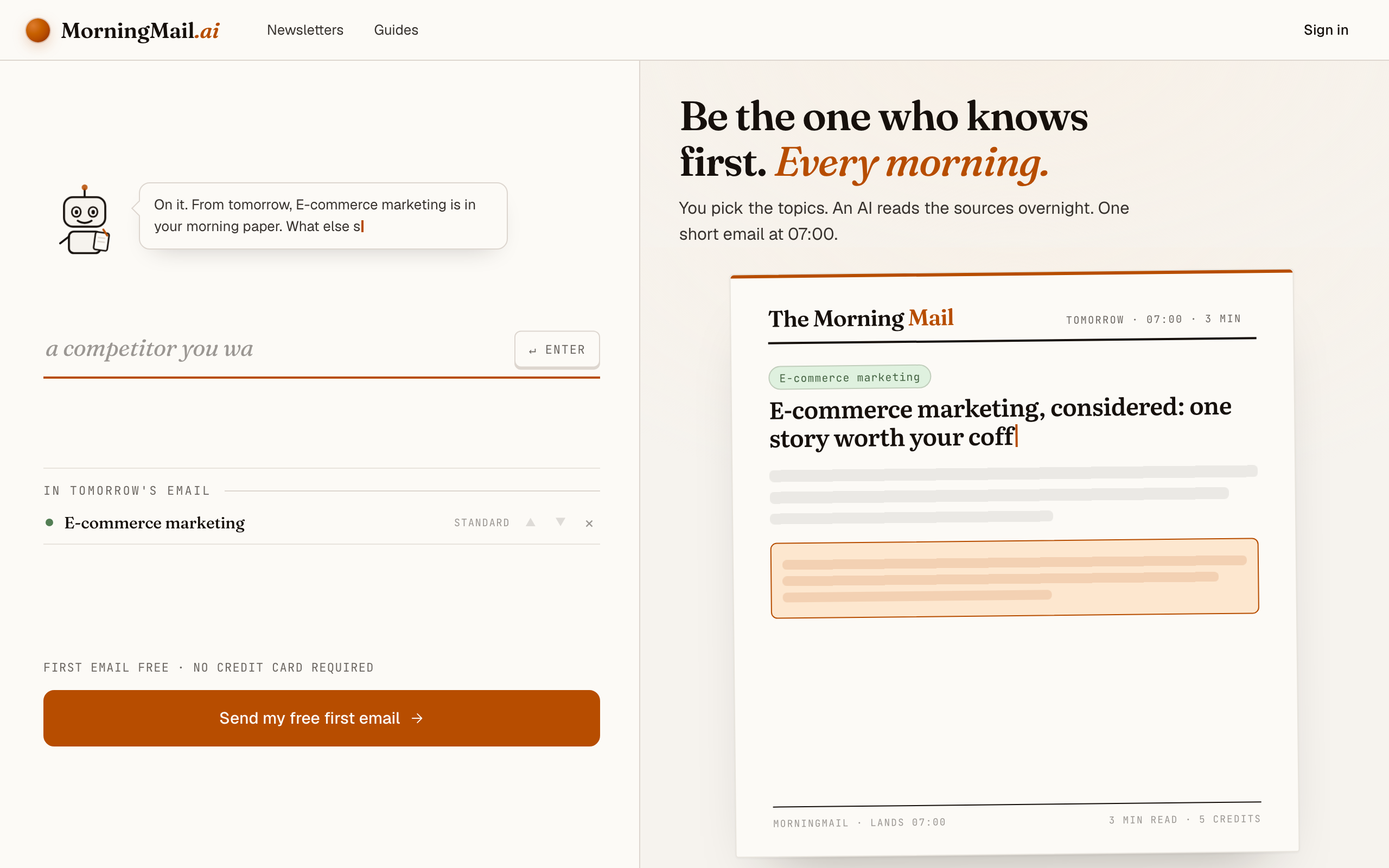
No account yet, nothing to install — the landing page IS where you compose. A friendly press robot introduces itself above one big input, and beside it a sample morning shows you what the email looks like before you have typed a word.
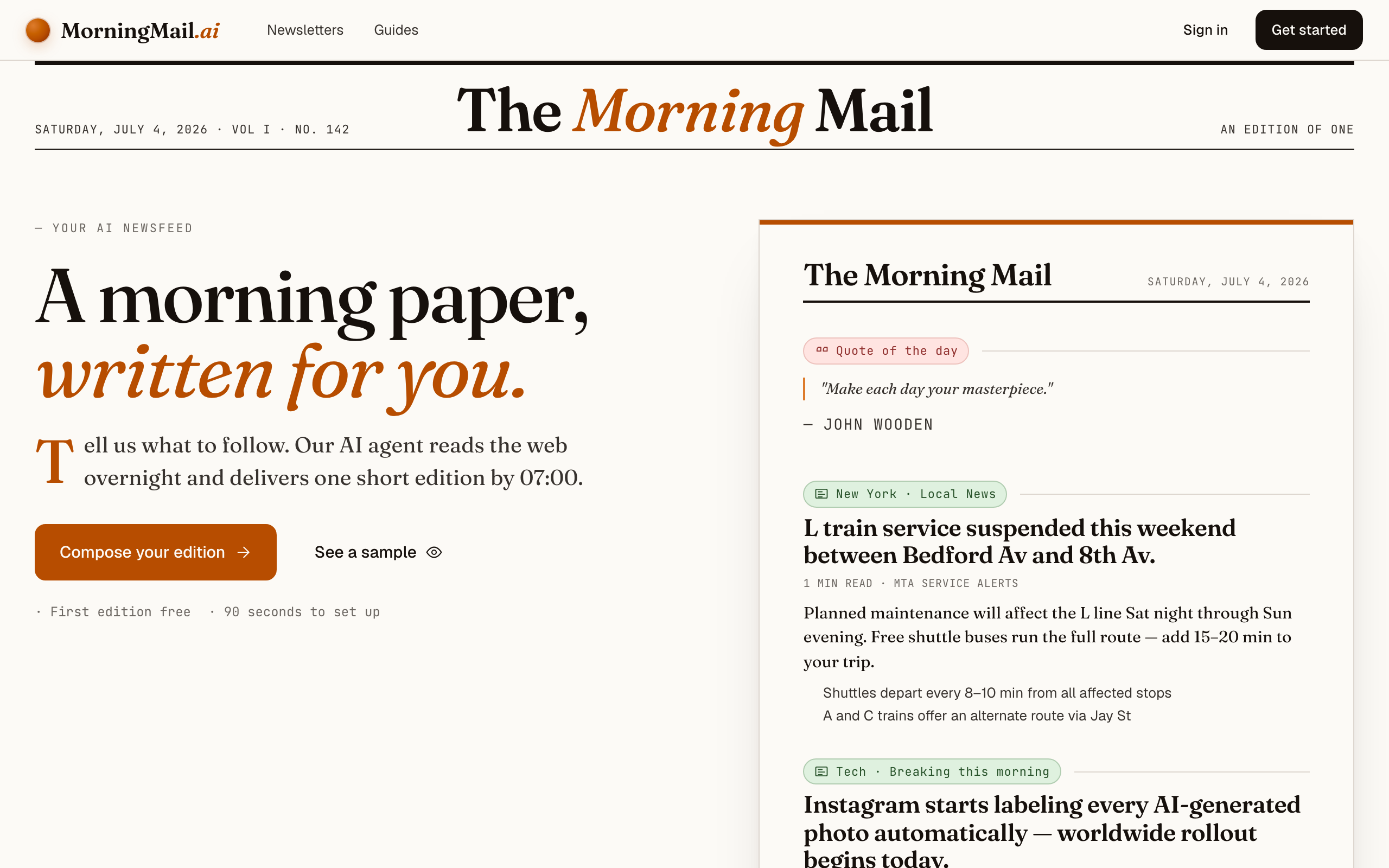
Step 2 Type your topic: E-commerce marketing
Type E-commerce marketing into that one input. There is nothing to pick and no form to fill — as you type, a draft section forms on the paper beside you, carrying your topic in a tinted badge and the quiet prompt "↵ Enter adds it", and the ↵ Enter key at the end of the input turns orange.
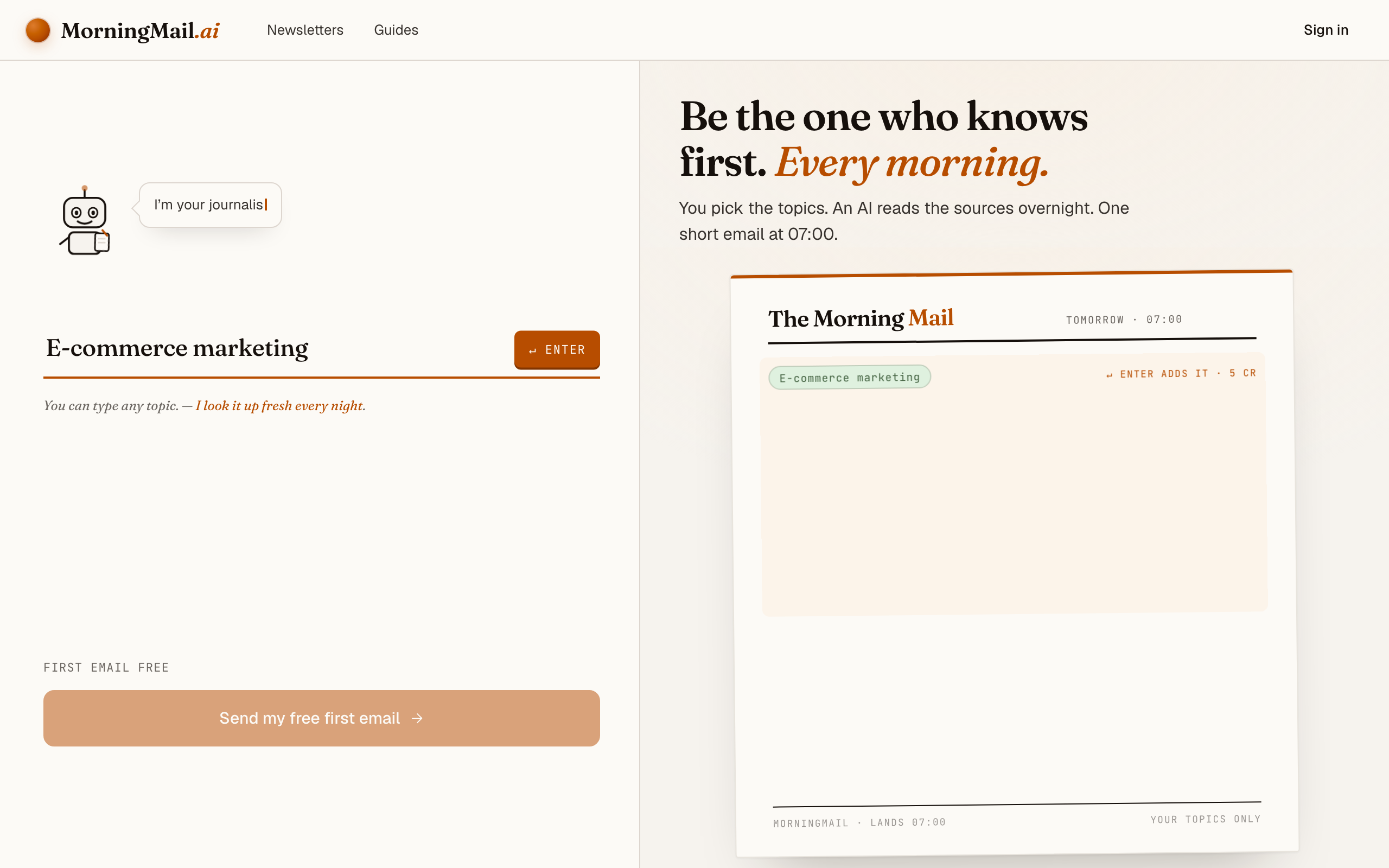
Step 3 Press Enter (or that orange key) — and read what the agent was told
Here's the setup: type E-commerce marketing into the one big input on morningmail.ai and press Enter. The section lands on the paper beside you carrying a suggested headline and an Assignment that's already written — real prose telling the agent what to go looking for tomorrow morning. You read the exact instruction before an account exists.
That Assignment is opinionated out of the box: what moved overnight, why it happened and who said it, straight from the source rather than an aggregator. It gets properly sharp once you add your reality. Click it and rewrite: "Focus on Google and Meta ad-platform changes, search updates that affect product pages, and consumer-spending signals for European D2C brands. Skip agency awards and thought-leadership pieces." Or tap one of the one-tap tweaks underneath — "+ skip the hype" appends the sentence for you.
The exact prompt your section starts withSomething genuinely worth knowing about E-commerce marketing today — one development, why it matters and where the detail lives. Substance over volume.
Step 4 Send your free first email
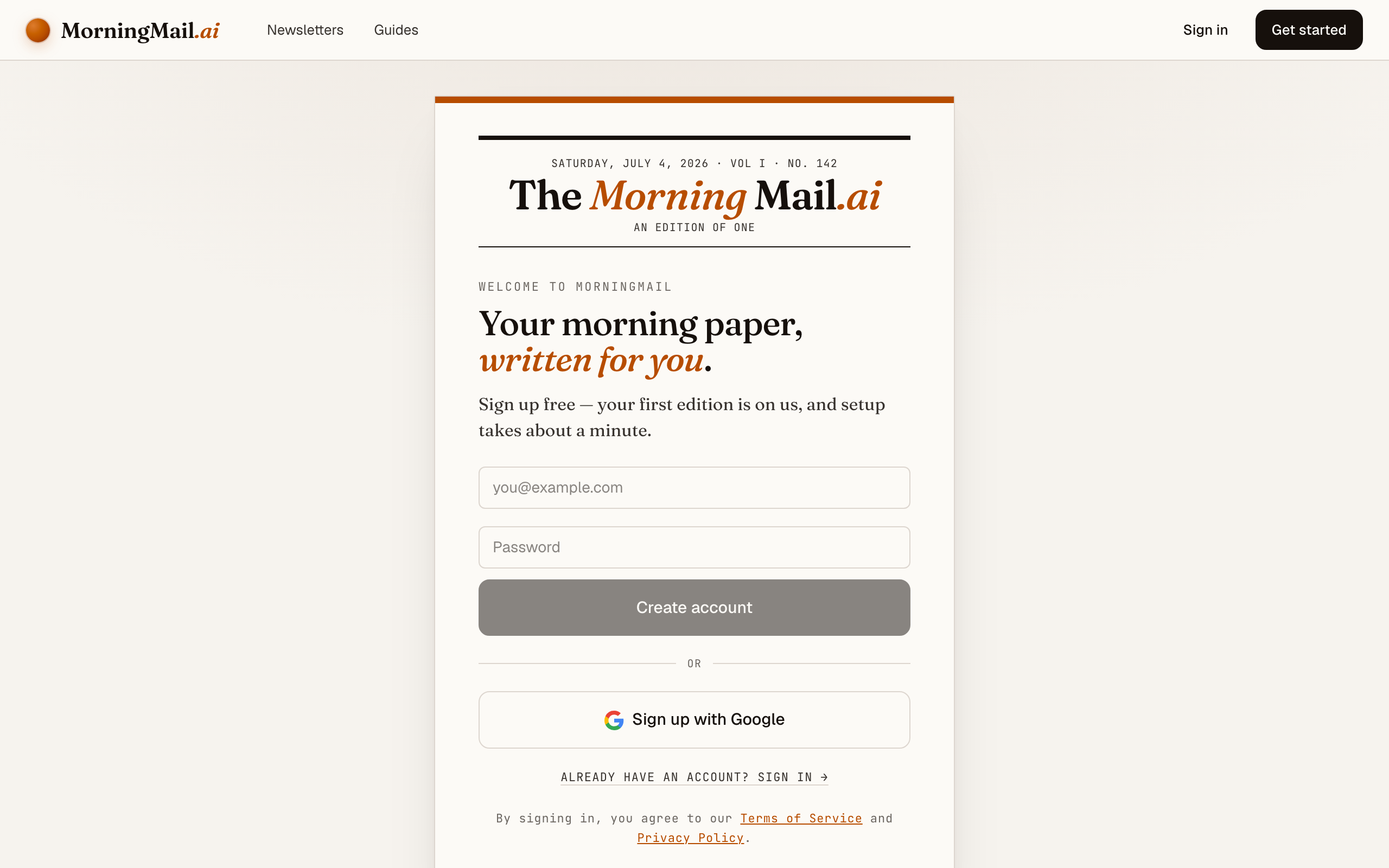
Happy with the paper? Hit “Send my free first email”. The sign-up appears right there — the paper never leaves the screen — and asks the only thing it still needs: where to send it. Email and password, or Google. No card, and the first email is free.
Step 5 Watch it being written
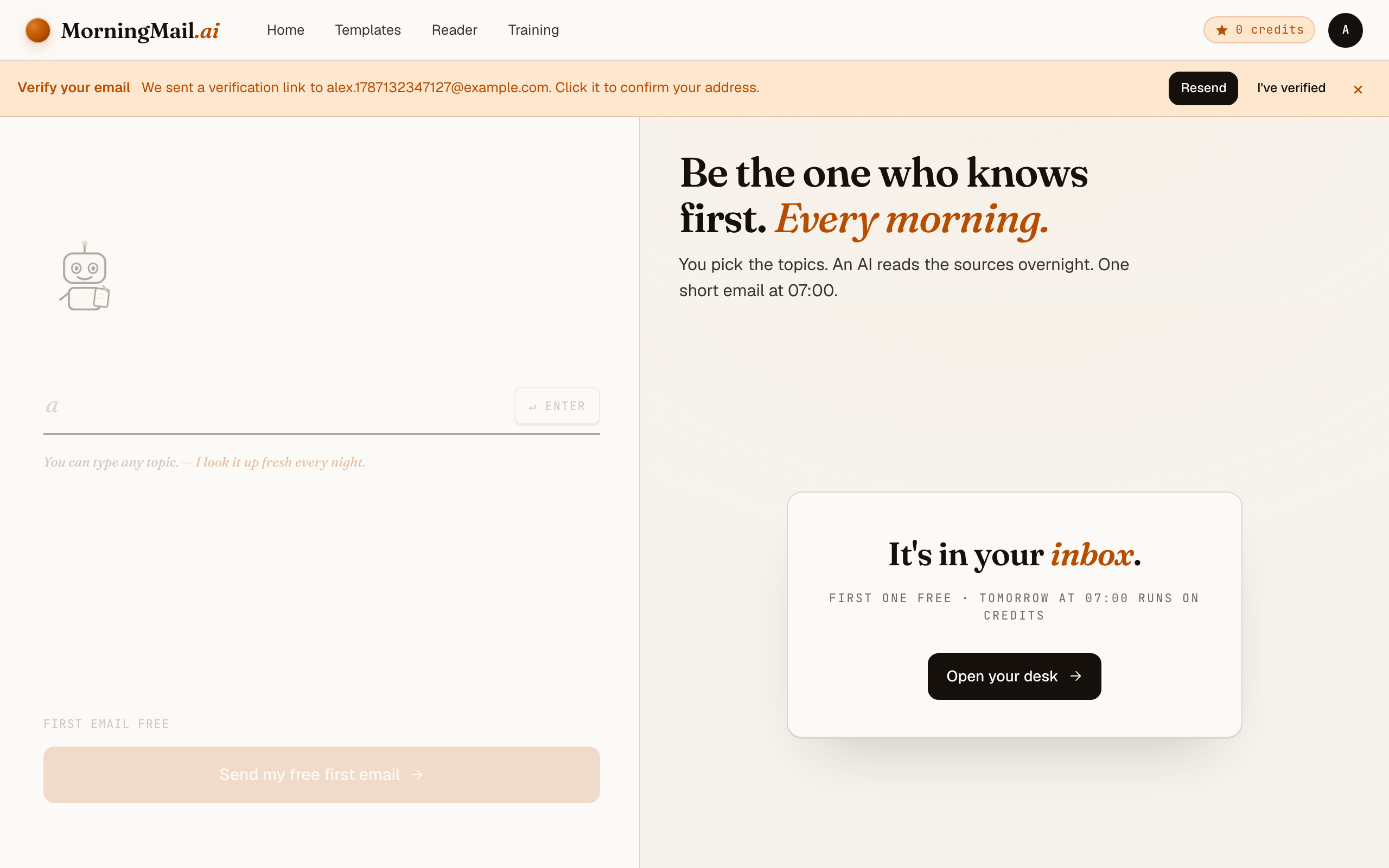
Now the desk goes to work in front of you: working out what to look for, searching the web, reading the best sources, writing your section, composing a subject line, handing it to the post. A minute or two later: "It's in your inbox."
Step 6 Afterwards: the time, the days, the readers
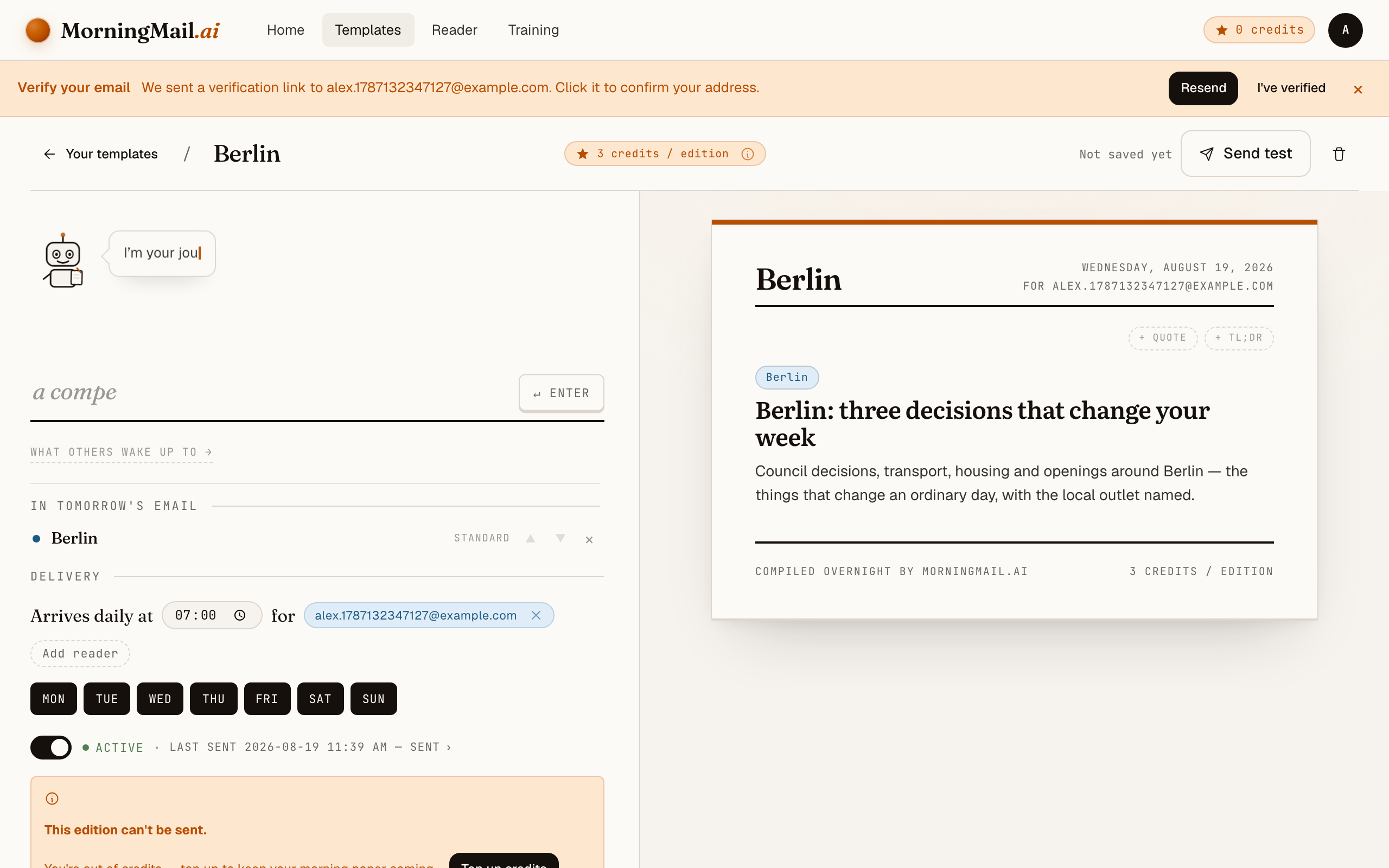
Everything else lives in the builder, once you have a paper to tune. Set the delivery time (07:00 by default) and which weekdays it runs, add readers — up to 100 — and add more topics the same way you added the first: by typing. Nothing here needs deciding on day one.
Get more out of your brief
- Name your channels, not just your industry
- "E-commerce marketing" gets you breadth. "Meta ads, Google Shopping, email flows and organic search for a home-goods store" gets you a brief that reads like it came from your own team. The agent prioritises exactly what you tell it to — nothing more.
- Ask for changes, not trends
- Trend listicles are the junk food of marketing media. Tell the agent to report what changed — ad policies, auction mechanics, fees, ranking systems. A change demands a decision this week; a trend mostly demands anxiety.
- Match the cadence to the channel
- Your template lets you pick the delivery time and the exact weekdays. Ad platforms move daily; consumer research doesn't. My favourite pattern: the marketing brief Monday to Friday, plus one section that digs into consumer trends once a week.
- Put a TLDR on top for packing days
- Add a TLDR section that condenses the whole email into three bullets at the top. On packing days you read the bullets, on planning days everything — same email, two speeds.
- Send it to your co-founder too
- Templates support multiple recipients, so whoever runs your ads reads the same brief you do — shared input beats forwarded screenshots. And if your section turns out great, publish it to the community gallery for other founders to subscribe to.
Good sources to anchor your brief on
The agent searches the open web every morning and cites where it read things. These are the sources I'd point it at in your prompt:
- Google Search Central Blog — Google's own channel for algorithm updates, Search Console changes and structured-data requirements — the primary source behind every "Google update" panic post, minus the panic.
- Meta for Business announcements — Where ad-product changes, targeting deprecations and policy updates land first. If your acquisition runs through Instagram or Facebook, this is the source your brief should quote.
- Search Engine Land — Daily trade coverage of search and paid media — fast, sourced reporting on platform changes whenever Google's own posts stay vague.
- Practical Ecommerce — Tools, conversion and operations written for merchants rather than agencies — rare and valuable in a space full of vendor content.
- Think with Google — Google's consumer-insights research: seasonal demand curves, category trends and shopping behaviour you can actually plan inventory against.
- Shopify Blog & Changelog — Platform updates and merchant case studies. If your store runs on Shopify, the changelog alone is worth watching — features appear there before the marketing does.
Frequently asked questions
- How much does a daily marketing brief cost?
- Your first edition is free — no credit card required. After that you pay per send with credits: each section costs a few, depending on the AI model tier it runs on. And credits never expire, so a slow month costs you nothing.
- Why not just set up Google Alerts for my niche?
- Because alerts forward whatever matches a keyword — you still open, skim and judge every link yourself. MorningMail inverts that: the agent reads fresh sources each morning, discards the noise and writes you a short memo with linked sources. You keep the judgement, lose the tab-hopping.
- Can the brief focus on my specific niche, like fashion or supplements?
- Yes — that's exactly what the Assignment is for. Mention your category, your market and your channels, and every morning's research is filtered through them. The more specific you get, the less generic the brief.
- I don't need marketing news daily. Can I get it weekly?
- Sure — you pick the weekdays per template, so a Monday-only send works just as well as a daily one. Many founders go daily during a launch and drop to twice a week once things settle.
- Does the brief work in languages other than English?
- Yes — the agent writes in the language of your prompt. Instructions in French get you a French brief. The interface itself is available in English and German.
Your inbox, your editor
Build your own AI-written brief in two minutes. The first edition is on me — no credit card required.
Build your brief — freeI am always happy to answer questions and I'm open to feedback. Feel free to reach out at any time: marius@morningmail.ai