How to Get Daily Cybersecurity News in Your Inbox — Signal, Not Vendor Pitches
Published July 3, 2026
It's 11pm and you're scrolling Twitter when a researcher posts a CVE for the exact firewall you manage. Nobody paged you — you just got lucky.
The good news? You can replace that luck with a system in about two minutes — and the first edition is free.
In this guide, I'll show you how to get daily cybersecurity news in your inbox with MorningMail, a tool I built. Every morning, an AI agent searches the web fresh and writes you a short email: actively exploited CVEs, patches, breach disclosures, NIS2 — with the advisories linked.
Let's set it up.
What you'll build
Security newsletters write for an imagined admin who runs every product at once. You don't. You run a specific estate — Windows servers, a Fortinet perimeter, Microsoft 365, one legacy Linux box nobody admits to owning — and 90 percent of any generic digest is about someone else's stack.
MorningMail starts from your instruction instead. You describe that estate once, and every morning an agent searches current sources and writes the report itself — severity, affected versions, advisory linked. It's not a link forwarder like Google Alerts: you get the conclusion, not a pile of matches to triage.
And your prompt keeps that context permanently, so the brief scales with the day. Quiet morning? A genuinely short email. A KEV addition that hits your stack? It leads — because you told the agent what "hits your stack" means.
See it live: today's edition
So here's a real example. This is today's edition of exactly this newsletter — written by the agent this morning, based on the example prompt from this guide. Not a mockup: I run it myself on MorningMail.
Edition from October 7, 2026
DHS consolidates cyber contracts; healthcare rules tighten; XDR market hits inflection
DHS cyber contract consolidation
DHS is folding fragmented IT into a single mechanism.
The department pushed forward NCCS 2.0 (Network, Cloud, and Cyber Services 2.0), a unified acquisition vehicle that centralizes network security, cloud computing, and cybersecurity services across all components, replacing legacy contracts held by Leidos, General Dynamics, and Peraton [Quelle: Washington Technology]. The award timeline shifted to later this year, announced on Sam.gov. This mirrors the vendor consolidation trend already reshaping the commercial market—centralized procurement will likely favor large integrators and pressure smaller specialists.
Expect prime contractor jockeying on technical baselines by November.
Senate healthcare cybersecurity bill
Congress passed binding cybersecurity rules for healthcare.
The Senate unanimously approved the Health Care Cybersecurity and Resiliency Act on October 2, directing HHS to update HIPAA with specific technical mandates: multifactor authentication, encryption of protected health information, penetration testing, and minimum standards tied to threat analysis [Quelle: ThreatLocker]. The legislation also mandates closer CISA-HHS coordination, sector threat sharing, and grants for provider training and legacy system retirement. Unlike prior guidance-heavy approaches, this law codifies implementable, testable controls aligned with HHS Healthcare and Public Health Cybersecurity Performance Goals.
Healthcare CISOs should map current state against these controls before HHS drafts final rules.
XDR market consolidation inflection
XDR platforms are becoming compliance necessity, not optional upgrade.
The global XDR market valued at $9.7 billion in 2025 is forecast to expand at 29% CAGR, reaching $96 billion by 2035, driven by tool consolidation and regulatory pressure [Quelle: Constancy Research]. CISOs are reducing tool sprawl by consolidating endpoint, identity, cloud, network, and SIEM capabilities onto single platforms; cyber insurers now require strong detection and response controls before issuing policies; and incident reporting mandates are converting XDR from discretionary investment into mandatory infrastructure. Fastest growth is in managed XDR, multi-vendor platforms, identity detection, and adoption across SMEs and critical verticals (healthcare, manufacturing, energy).
Standalone detection tools face accelerating M&A pressure as buyers prioritize integrated stacks.
 Extended Detection and Response (XDR) Market: AI-Driven Security ...14 hours ago ... Chief information security officers are consolidating onto fewer platforms that combine endpoint, identity, cloud, network, and SIEM capabilities with a ...constancyresearchers.com
 DHS kicks its network, cloud and cyber consolidation vehicle down ...10 hours ago ... Industry will have an undetermined amount of extra time to gear up for this contract to centralize IT operations across the entire Homeland Security Dep...washingtontechnology.com
 Senate passes healthcare cybersecurity bill: What IT leaders should ...5 hours ago ... It is not yet law, and it does not create immediate compliance deadlines for healthcare organizations. ... updated regulations. What should healthcare ...threatlocker.com
One click creates your own editable copy — change the prompt, the delivery time, everything.
Browse all editions →You could get this general version into your inbox right now — and then fine-tune it to your very specific needs. Here's how to do it:
Step by step: from zero to your first edition
The whole setup takes about two minutes. And every screenshot below comes straight from the real product — nothing is mocked up.
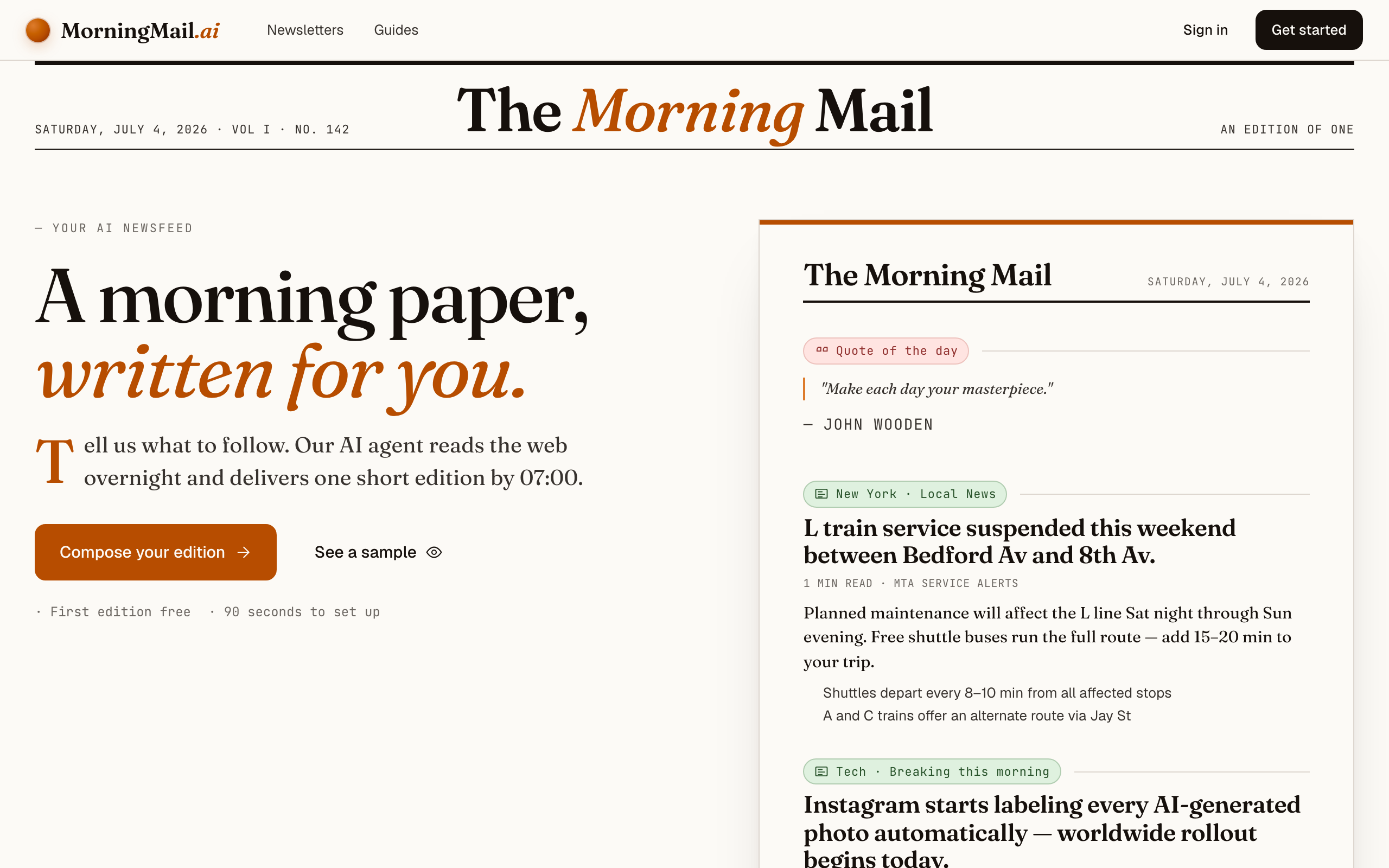
Step 1 Open morningmail.ai
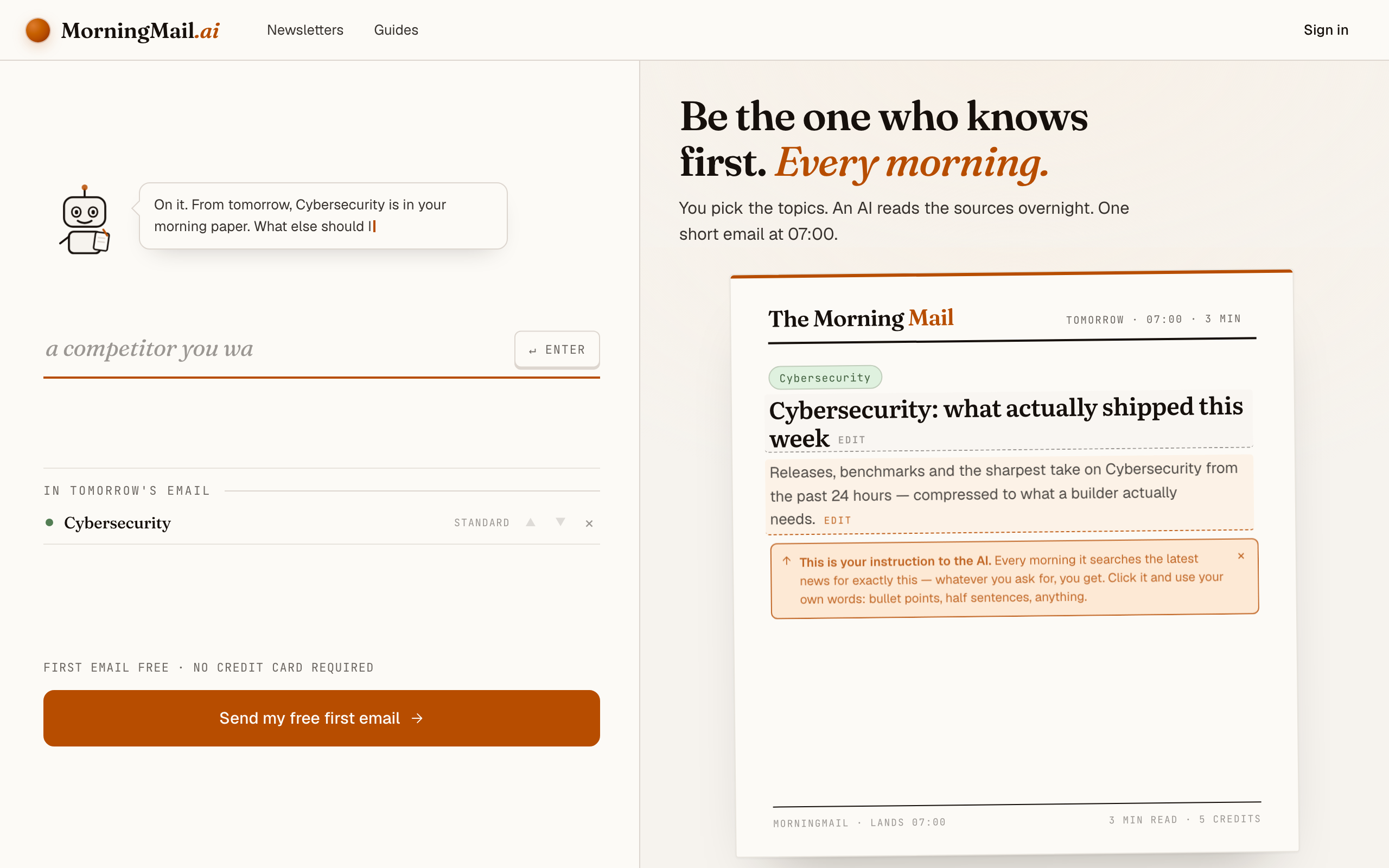
No account yet, nothing to install — the landing page IS where you compose. A friendly press robot introduces itself above one big input, and beside it a sample morning shows you what the email looks like before you have typed a word.
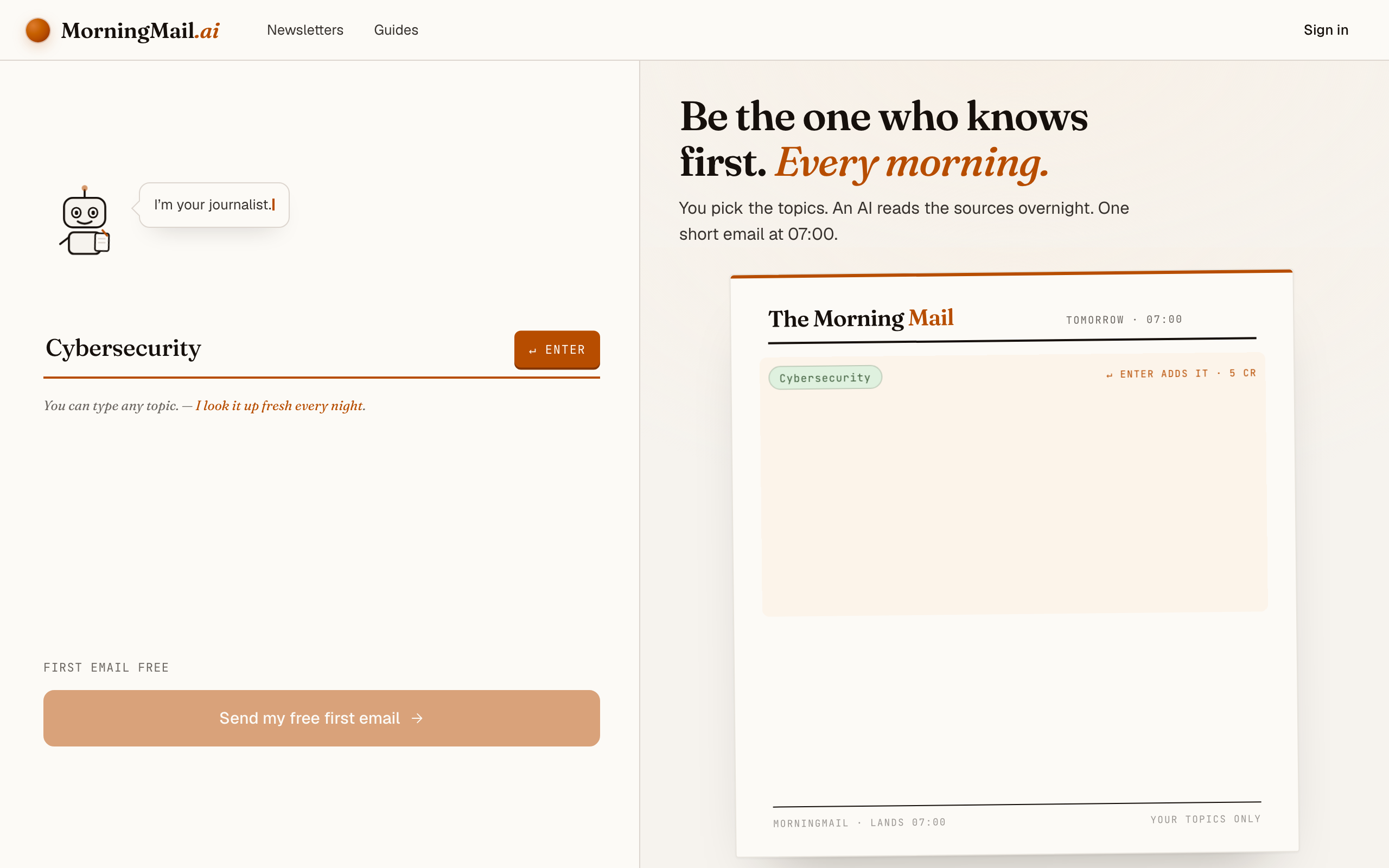
Step 2 Type your topic: Cybersecurity
Type Cybersecurity into that one input. There is nothing to pick and no form to fill — as you type, a draft section forms on the paper beside you, carrying your topic in a tinted badge and the quiet prompt "↵ Enter adds it", and the ↵ Enter key at the end of the input turns orange.
Step 3 Press Enter (or that orange key) — and read what the agent was told
There's nothing to set up first — morningmail.ai opens on the composing surface itself: one input, a live paper beside it. Type Cybersecurity, press Enter, and the section arrives with a beat badge, a suggested headline and an Assignment already written — the actual prose telling the agent what to go looking for overnight. You read the agent's marching orders before any account exists.
The highest-value edit here is scoping it to your estate. Click the Assignment and make it yours: "We run Windows Server, Fortinet firewalls and Microsoft 365 for 800 users in the EU. Lead with actively exploited CVEs and vendor advisories for that stack, then NIS2; skip vendor product announcements." The one-tap tweaks under the field help too — for security I'd keep "+ name sources" on, so every claim arrives with the advisory attached.
The exact prompt your section starts withReleases, benchmarks and the sharpest take on Cybersecurity from the past 24 hours — compressed to what a builder actually needs.
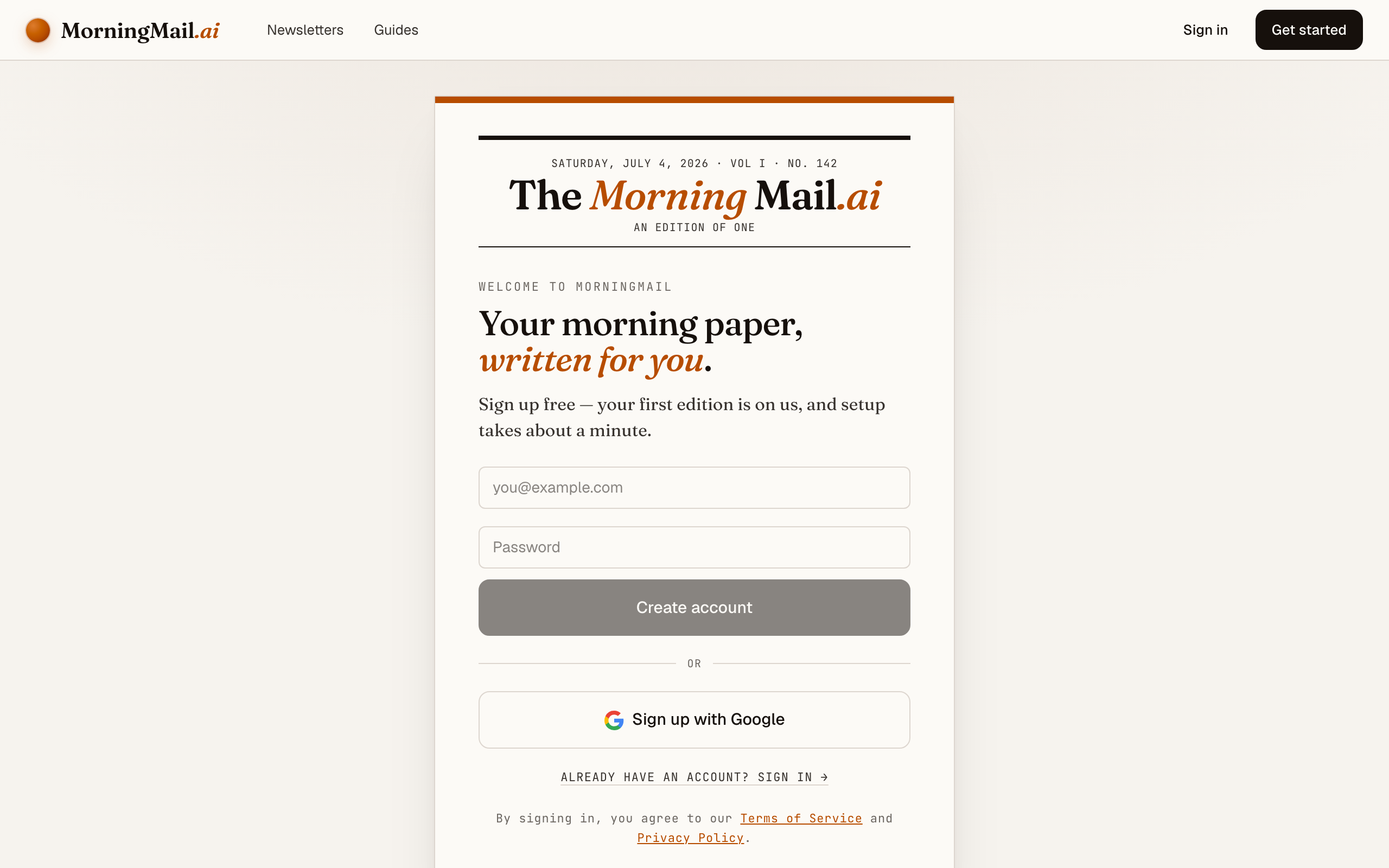
Step 4 Send your free first email
Happy with the paper? Hit “Send my free first email”. The sign-up appears right there — the paper never leaves the screen — and asks the only thing it still needs: where to send it. Email and password, or Google. No card, and the first email is free.
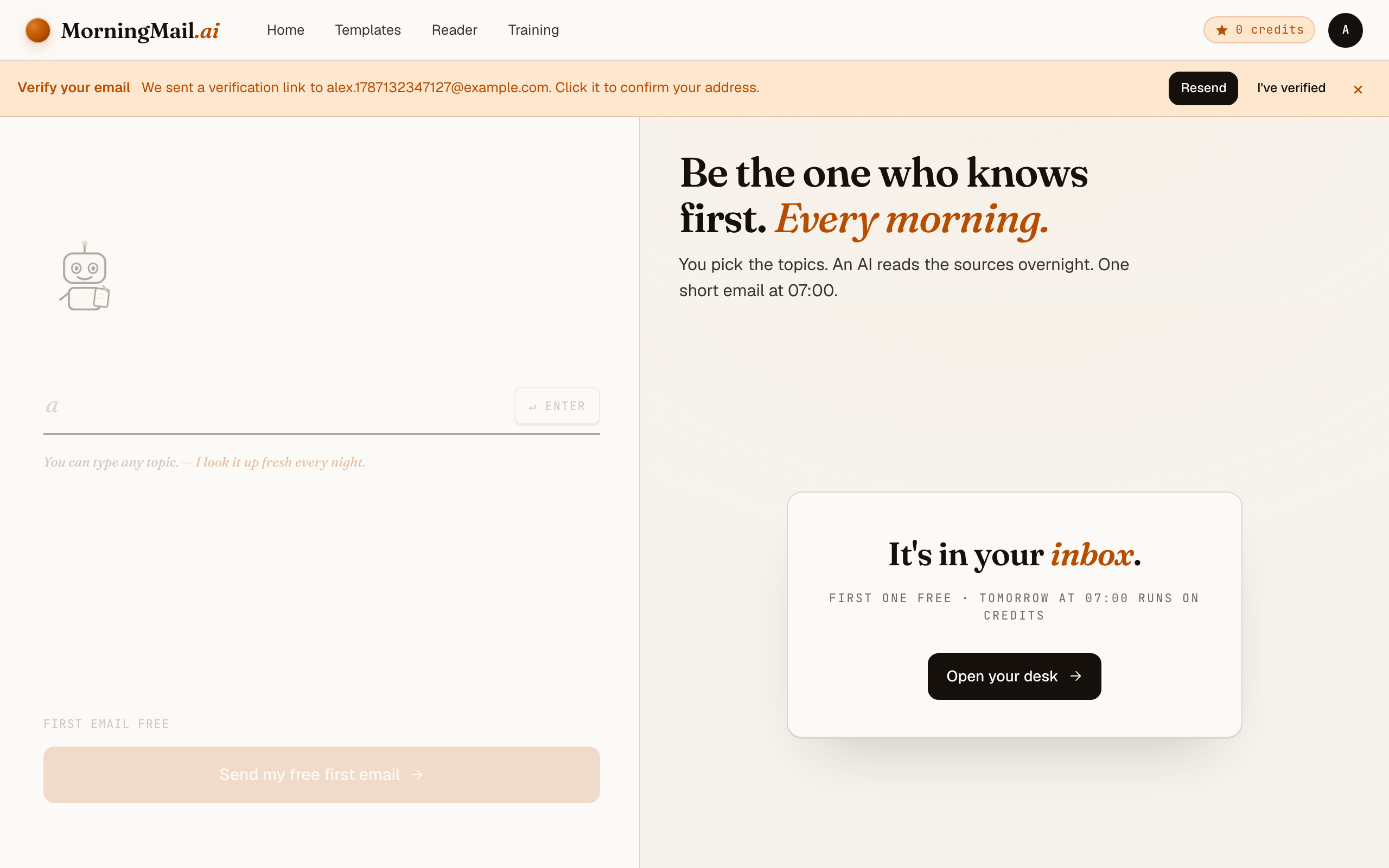
Step 5 Watch it being written
Now the desk goes to work in front of you: working out what to look for, searching the web, reading the best sources, writing your section, composing a subject line, handing it to the post. A minute or two later: "It's in your inbox."
Step 6 Afterwards: the time, the days, the readers
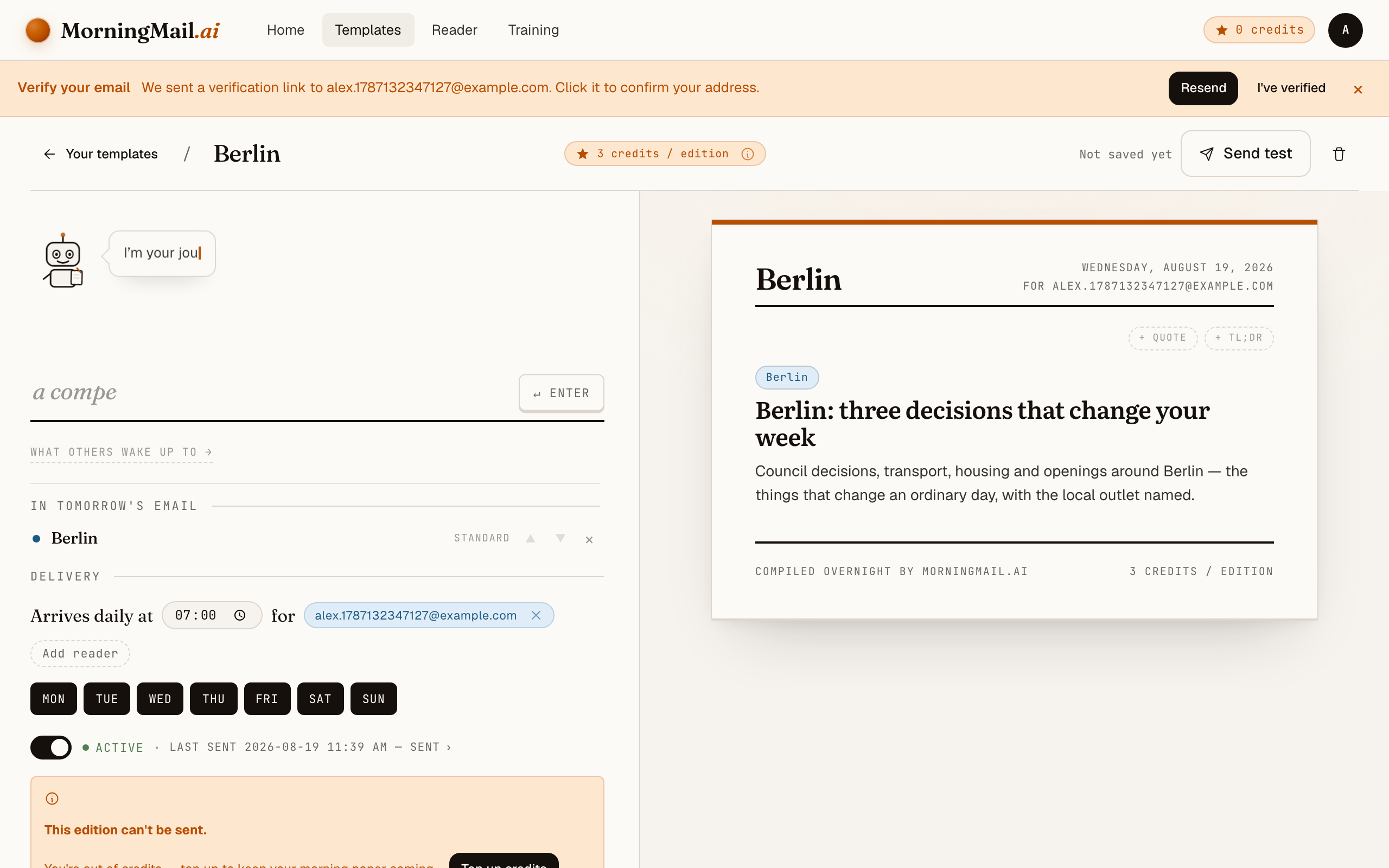
Everything else lives in the builder, once you have a paper to tune. Set the delivery time (07:00 by default) and which weekdays it runs, add readers — up to 100 — and add more topics the same way you added the first: by typing. Nothing here needs deciding on day one.
Get more out of your brief
- Put your asset list in the prompt
- This is the single biggest quality lever. "Exploited vulnerabilities in Fortinet, Citrix, Exchange and VMware products first" turns a general news brief into something close to a personal advisory feed — written as prose you can forward.
- Ask for exploitation status, not just severity
- A CVSS 9.8 nobody exploits can wait for the maintenance window; a 7.2 with active exploitation cannot. Add "state whether each vulnerability is known to be exploited in the wild" and the brief starts triaging the way you do.
- Reserve one slot for regulation
- NIS2 obligations and incident-reporting deadlines move slowly, then suddenly. A line like "include one regulatory or compliance item when material" keeps you ahead of the audit without letting policy news crowd out patches.
- Send it to the whole ops team
- Templates support multiple recipients, so on-call and the sysadmin group read the same brief before the morning check-in. Everyone argues from the same three stories instead of three different Slack links 😊
- Keep the tone dry and the sections short
- Each section has its own length and tone settings. For security, terse wins: set the section to short, ask for bullets, and let the linked advisories carry the detail. Two minutes of reading — your time belongs to the follow-up.
Good sources to anchor your brief on
The agent searches the open web every morning and cites where it read things. These are the sources I'd point it at in your prompt:
- CISA Known Exploited Vulnerabilities catalog — The de facto triage list: vulnerabilities confirmed exploited in the wild, with remediation deadlines the rest of the industry treats as a benchmark.
- Microsoft Security Response Center (MSRC) — The primary source for Patch Tuesday and out-of-band fixes. If you run Windows anywhere, a brief that cites MSRC directly beats any second-hand patch roundup.
- Krebs on Security — Independent investigative reporting on breaches, cybercrime and the ecosystem behind them — often ahead of official disclosures, always sourced.
- The Hacker News — High-frequency coverage of vulnerabilities, campaigns and research. A useful breadth signal; your brief should chase its stories back to the underlying advisories.
- BSI / CERT-Bund advisories — Germany's federal security office publishes advisories and situation reports that matter for any EU operation — and for NIS2, the national implementation is where obligations get concrete.
- NVD (NIST) — The canonical CVE record: scores, affected configurations, references. The place your change ticket ultimately points to, whoever broke the story.
Frequently asked questions
- How much does this cost after the free edition?
- The first edition is free, no credit card. After that you pay per send in credits — a few per section, depending on the AI model tier it uses. Credits never expire, so a quiet month wastes nothing.
- Isn't this what Google Alerts does?
- Honestly — no. Alerts mail you every page that mentions your keyword, and for "cybersecurity" that's a firehose of vendor content you still have to read. Here the agent searches fresh each morning, filters against your prompt, and writes the report with the advisories linked.
- Does it cover CVEs and Patch Tuesday?
- Yes — if your prompt asks for them, and it should. Tell the agent to lead with actively exploited vulnerabilities and vendor advisories for your stack, and Patch Tuesday summaries arrive the morning after, MSRC and vendor pages linked.
- Is this a replacement for a threat-intel platform?
- No — it's a reading brief, not detection tooling. It won't watch your logs or your attack surface. What it replaces is the hour of morning triage across feeds, subreddits and newsletters — by writing the summary you'd have assembled by hand.
- Can it track NIS2 and other regulatory changes?
- Yes. Write it into the prompt — for example "include NIS2 implementation news and incident-reporting guidance for Germany when material." The agent re-reads its instructions every morning, so the regulatory thread stays warm without you chasing it.
Your inbox, your editor
Build your own AI-written brief in two minutes. The first edition is on me — no credit card required.
Build your brief — freeI am always happy to answer questions and I'm open to feedback. Feel free to reach out at any time: marius@morningmail.ai