How to Start a Local News Newsletter for Your Town or Village
Published July 4, 2026
The local paper is a shadow of what it was, the town Facebook group is 90% lost cats, and the one decision that changes your commute got buried in a council PDF nobody read. Staying on top of your own town has somehow become work.
Good news—you're in the right place! You can set up a local news brief in about two minutes, and the first edition is free.
In this guide I'll show you how to start a local news newsletter for your town—even a small village—using MorningMail, which I built. Every morning an AI agent reads what the local outlets published and writes you one short email: the story that actually matters where you live, with the source linked.
So, let's dive in—it's really easy!
What you'll build
National news finds you whether you want it or not. Local news is the opposite—you have to go dig for it, across a paper, a council site, three Facebook groups and a noticeboard. Most of us just stop, and miss the road closure until we're sitting in it.
A local brief flips that. You name your town once, and every morning an agent searches the web fresh and writes you the one thing worth knowing—a council decision, an opening, a closure, a change to the thing you use every day. Not a feed to scroll, an email to read, sources linked so you can go deeper when it matters.
And it works for a village as well as a city. Smaller places have thinner coverage, so on quiet days the agent widens its net to the surrounding area rather than leaving you with an empty inbox—you still wake up to something real.
See it live: yesterday's edition
So here's a real example. This is yesterday's edition of exactly this newsletter — written by the agent yesterday morning, based on the example prompt from this guide. Not a mockup: I run it myself on MorningMail.
Edition from October 6, 2026
Lansing bans data centers; residents block sprawl
Lansing data center ban
Lansing just blocked the future of sprawling server farms.
The Town Board voted to draft a permanent ban on data center construction after a packed meeting where over 200 residents spoke against development [Quelle: Cornell Sun]. The move follows Governor Hochul's one-year state moratorium on facilities exceeding 50 megawatts, though town officials worried local rules might not be clear enough to hold. Town Supervisor Ruth Groff called the proposed Lake Hawkeye Data Center project a "fiscal nightmare," citing potential costly litigation if the company breached agreements.
Lansing joins Dryden and Danby in shutting the door to data sprawl.
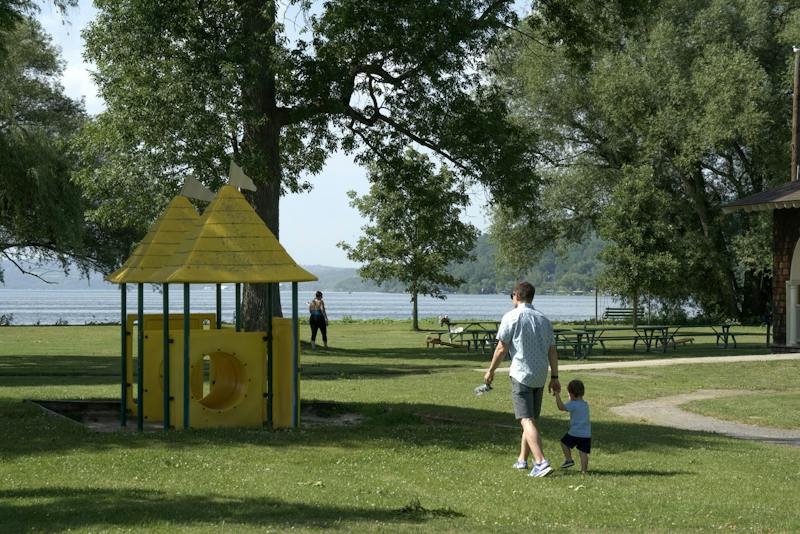 Town of Lansing to Draft Data Center Ban Following Public Anger16 hours ago ... Ithaca Reviews Greek Life Campus Life Academics Dining & Housing ... permits, which are a necessary step in the data center approval process. The ...cornellsun.com
One click creates your own editable copy — change the prompt, the delivery time, everything.
Browse all editions →You could get this general version into your inbox right now — and then fine-tune it to your very specific needs. Here's how to do it:
Step by step: from zero to your first edition
The whole setup takes about two minutes. And every screenshot below comes straight from the real product — nothing is mocked up.
Step 1 Open morningmail.ai
No account yet, nothing to install — the landing page IS where you compose. A friendly press robot introduces itself above one big input, and beside it a sample morning shows you what the email looks like before you have typed a word.
Step 2 Type your topic: Ithaca
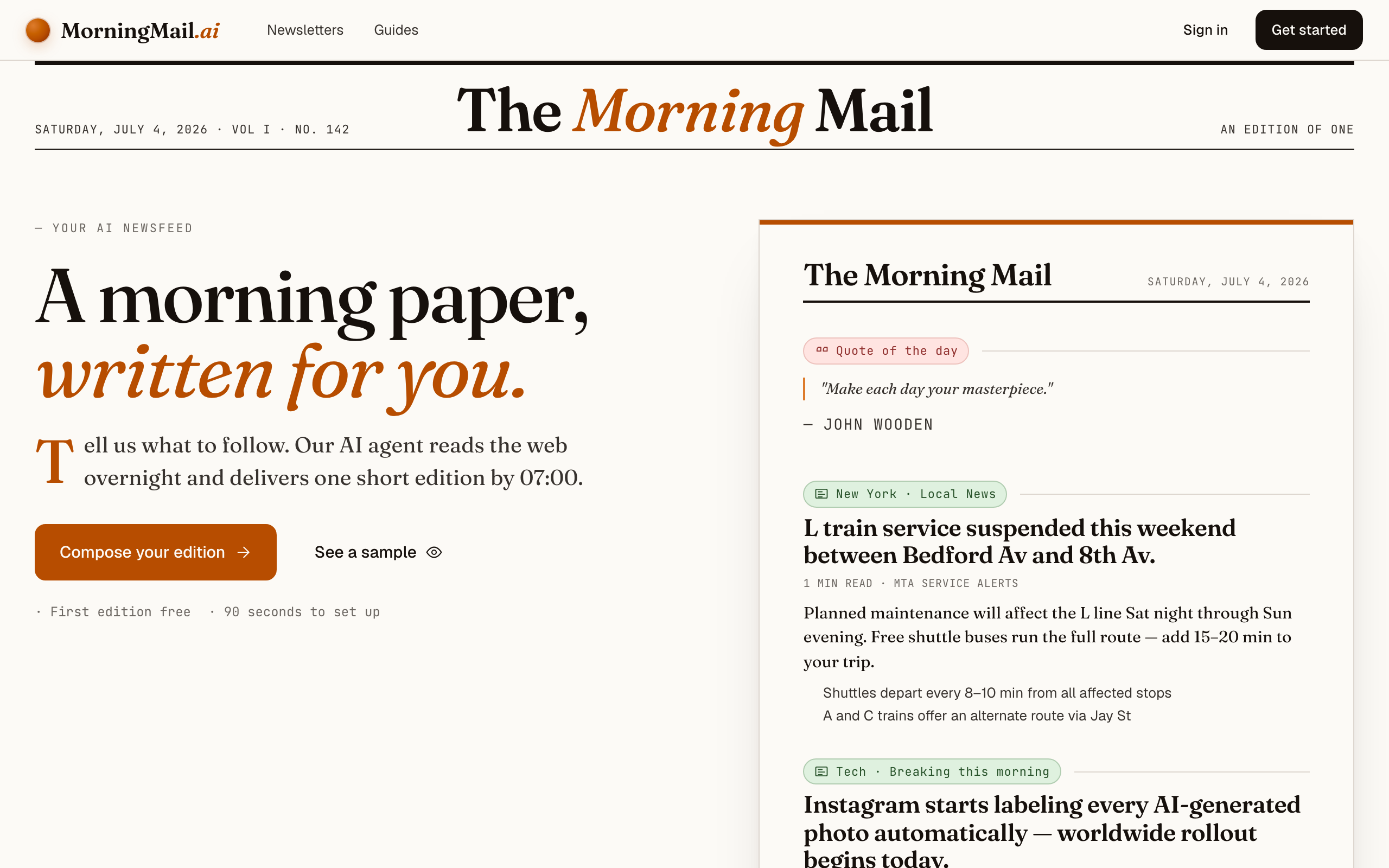
Type Ithaca into that one input. There is nothing to pick and no form to fill — as you type, a draft section forms on the paper beside you, carrying your topic in a tinted badge and the quiet prompt "↵ Enter adds it", and the ↵ Enter key at the end of the input turns orange.
Step 3 Press Enter (or that orange key) — and read what the agent was told
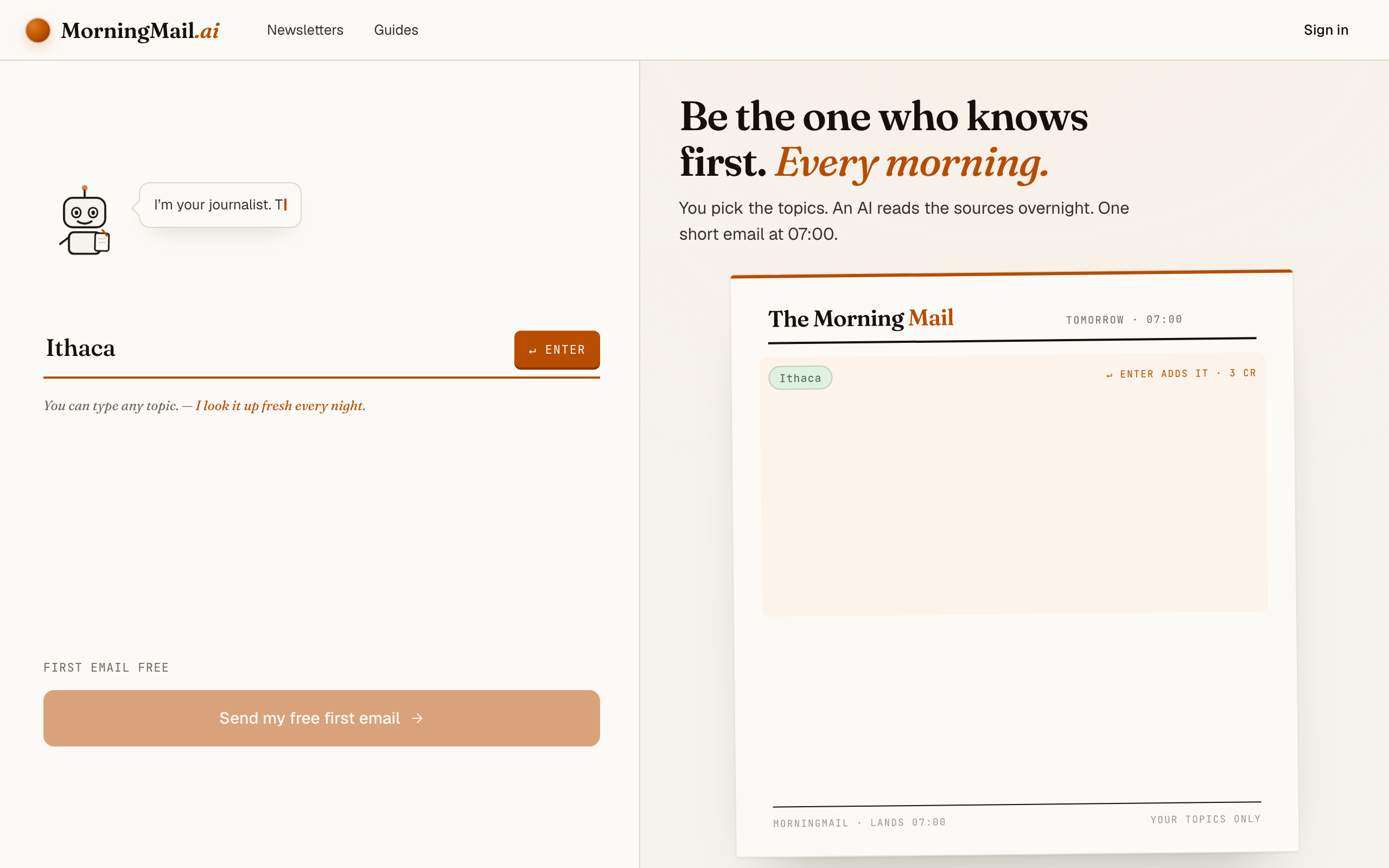
Type your town into the one big input and press Enter. I used Ithaca, but a village name works exactly the same—a place name is recognised as local news, and the section lands with the local beat, a headline and its Assignment already written. You read the instruction the agent will follow before you have an account.
That Assignment already tells the agent to skip national politics and prefer the things that change daily life—transport, housing, council decisions, openings. Click it and name your own paper ("cite the Ithaca Voice"), or tap "+ name sources", and the brief points straight at the reporting you trust.
The exact prompt your section starts withSomething genuinely worth knowing about Ithaca today — one development, why it matters and where the detail lives. Substance over volume.
Step 4 Send your free first email
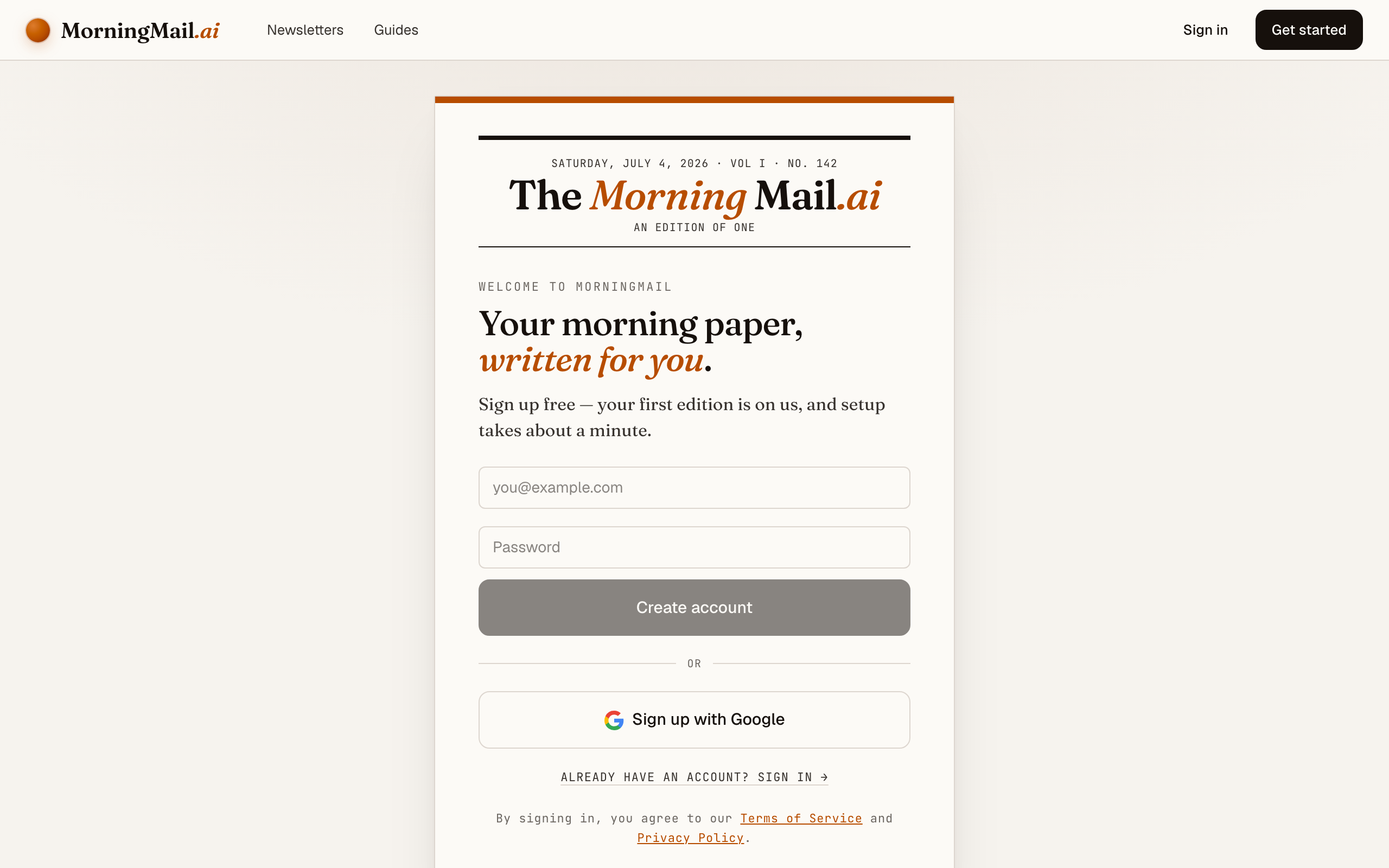
Happy with the paper? Hit “Send my free first email”. The sign-up appears right there — the paper never leaves the screen — and asks the only thing it still needs: where to send it. Email and password, or Google. No card, and the first email is free.
Step 5 Watch it being written
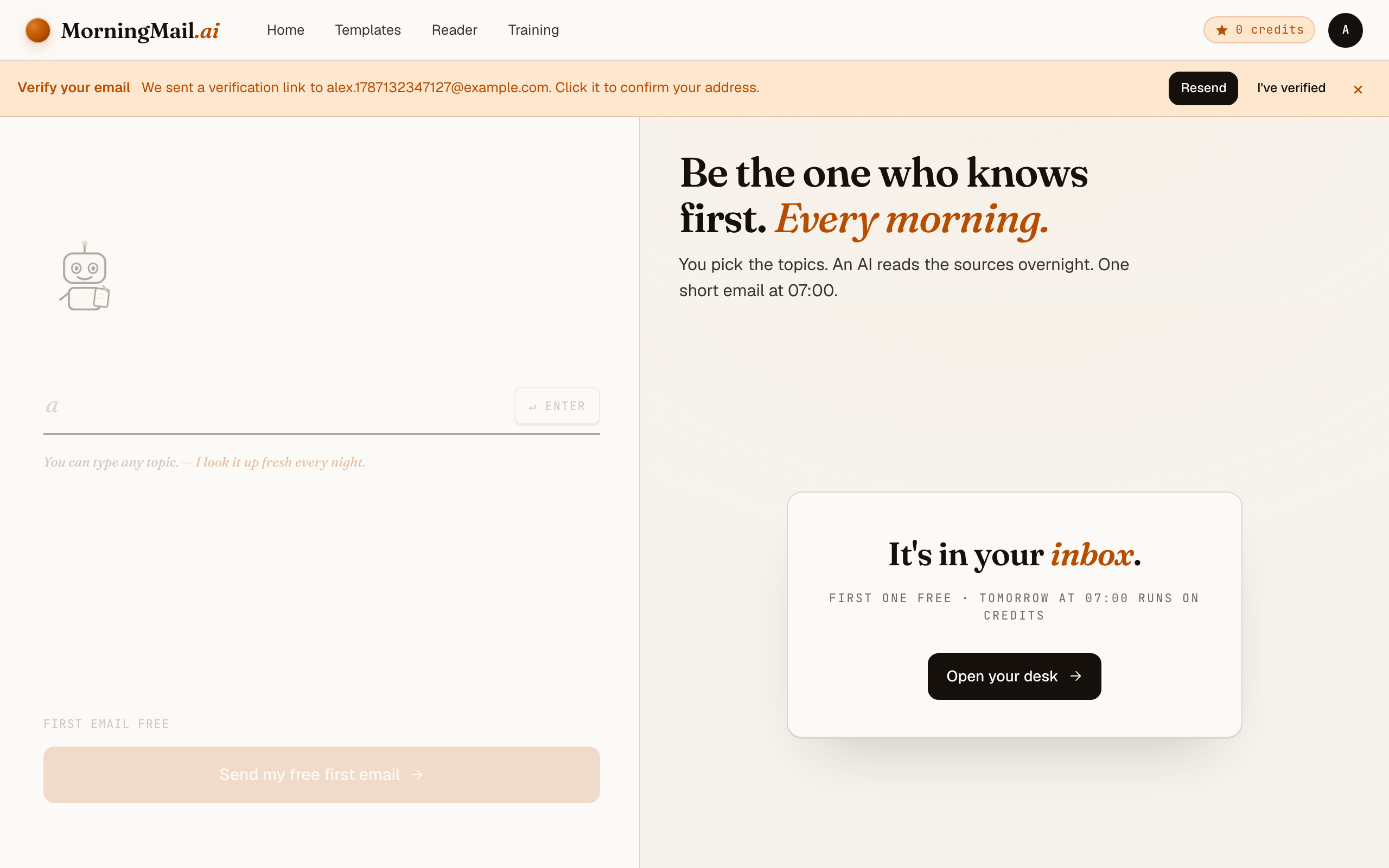
Now the desk goes to work in front of you: working out what to look for, searching the web, reading the best sources, writing your section, composing a subject line, handing it to the post. A minute or two later: "It's in your inbox."
Step 6 Afterwards: the time, the days, the readers
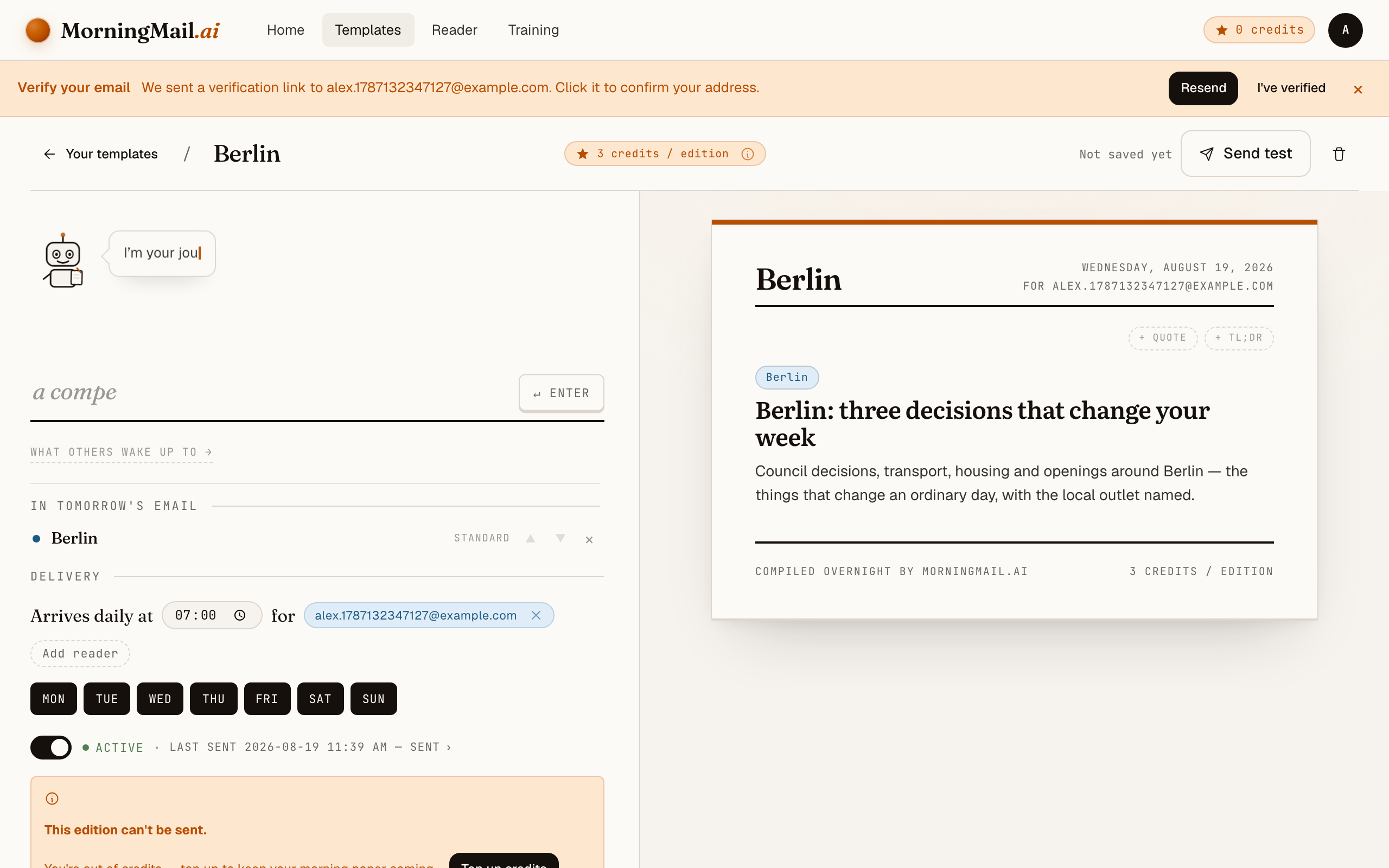
Everything else lives in the builder, once you have a paper to tune. Set the delivery time (07:00 by default) and which weekdays it runs, add readers — up to 100 — and add more topics the same way you added the first: by typing. Nothing here needs deciding on day one.
Get more out of your brief
- Name your local outlets
- The Assignment arrives generic about sources—make it specific. One line like "prefer the Ithaca Voice and the Ithaca Times" turns a generic local digest into a reader of exactly the sources your town relies on.
- Draw the boundary yourself
- Towns blur into their neighbours. Tell the agent how wide to go: "Ithaca and Tompkins County, but nothing from Syracuse unless it directly affects us." On a quiet local day it leans on that boundary instead of drifting to the nearest big city.
- Say what "matters" means to you
- Local can mean the school board to one reader and new restaurants to another. A clause like "prioritise housing, transit and anything about the schools" tunes the brief to your life, not the town's loudest story.
- Pick a cadence that fits a small place
- A big city fills a daily email easily; a village might not. Every template has selectable weekdays—for a small town, a Monday-and-Thursday brief often reads denser than a daily one stretched to fill space.
- Share it with your neighbours
- A template can have up to 100 recipients, so your street, your parents' association or the whole village can wake up to the same local brief. You can also publish the section to the community gallery for others in your area to take over.
Good sources to anchor your brief on
The agent searches the open web every morning and cites where it read things. These are the sources I'd point it at in your prompt:
- Your local newspaper — The single most important source for a town brief—the outlet with a reporter actually at the council meeting. Name it in your prompt and the agent leans on it.
- Council and municipal sites — Agendas, minutes and decisions are published here first, long before anyone writes them up. A good local brief surfaces the decision, not just the reaction to it.
- Regional public broadcasters — Wider than your town but reliable on the stories that cross municipal lines—transport, regional policy, and weather that actually affects you.
- Community groups and noticeboards — Openings, closures, events and the small stuff that never makes the paper. The agent can weigh these as signals and follow them to a solid source.
- Local business and cultural listings — New restaurants, venues, markets and what's on—the texture of a place. Ask for these explicitly if the everyday beat matters to you as much as the news.
Frequently asked questions
- Does this work for a small village, not just a city?
- Yes. Smaller places have thinner coverage, so the agent is built to widen to the surrounding area on quiet days rather than send you an empty email. Name your village and, if you like, the nearest town as a fallback.
- Where does the local news come from?
- Public reporting—your local paper, council sites, regional broadcasters, community pages. The agent searches the web fresh each morning and links every source, so you can read the original in one click.
- What does it cost?
- The first edition is free, no card needed. After that each send is a few credits, priced by the AI model tier the section uses. Local news runs well on the cheapest tier, so a daily town brief stays very cheap—and credits never expire.
- Can the whole neighbourhood get it?
- Yes—a template supports up to 100 recipients, so a street, a parents' group or a village mailing list can all wake up to the same brief. You can also share it publicly for others nearby to take over and tweak.
- Can I get it in German or another language?
- Write your prompt in the language you want to read. The brief always comes back in the language of your instructions, so a German town gets German coverage. The MorningMail interface is available in English and German.
Your inbox, your editor
Build your own AI-written brief in two minutes. The first edition is on me — no credit card required.
Build your brief — freeI am always happy to answer questions and I'm open to feedback. Feel free to reach out at any time: marius@morningmail.ai