How to Create Your Own AI Newsletter in 2 Minutes
Published July 4, 2026
You've seen a hundred newsletters you love and thought: I want that—but for my thing. Then you picture the work: sources to check, a template to design, something to write before coffee. So you never start.
Good news—you're in the right place! You can have your own AI newsletter running in about two minutes, and the first edition is free.
In this guide I'll show you how to create your own AI newsletter with MorningMail, a tool I built. You don't write the newsletter—you write one short prompt, and every morning an AI agent searches the web fresh and writes the email for you. Not a pile of links: a real brief, on the one topic you chose.
So, let's dive in—it's really easy!
What you'll build
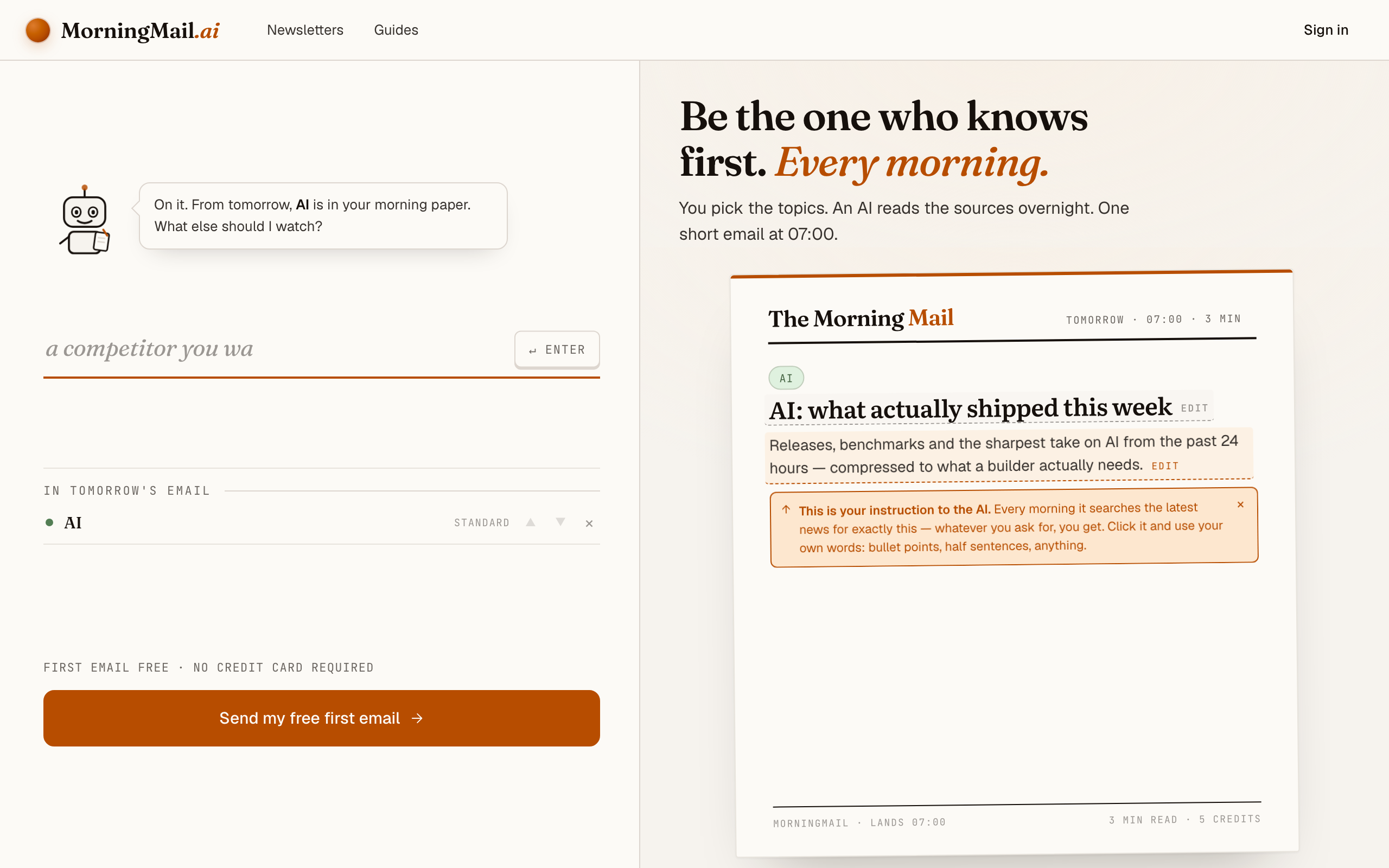
Most "AI newsletter generators" are really design tools: they help you lay out an email you still have to fill with words. This is the opposite. You never open a blank editor—you describe what you want once, and the writing happens on its own, every day.
Here's the whole idea. You give the agent one instruction—"a daily brief on X, for someone like me"—and each morning it goes and reads the web, then writes you a short email answering it, with the sources linked. Change your mind next week? Edit one sentence.
That's why two minutes is enough. There's no content calendar, no writing shift, no fifteen tabs. The newsletter is a prompt you own, and the agent does the rest—on the topic, in the tone, at the time you pick.
Step by step: from zero to your first edition
The whole setup takes about two minutes. And every screenshot below comes straight from the real product — nothing is mocked up.
Step 1 Open morningmail.ai
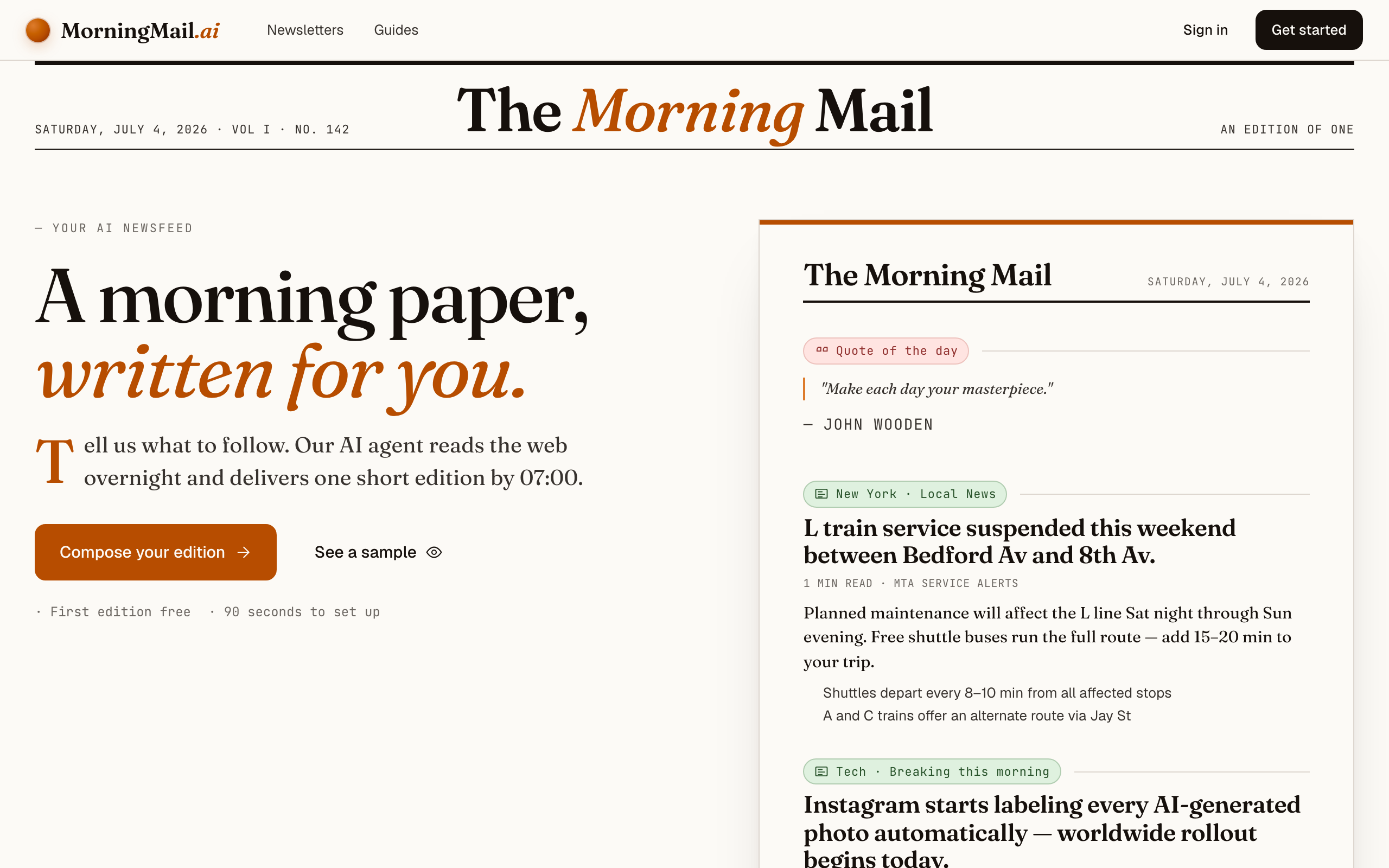
No account yet, nothing to install — the landing page IS where you compose. A friendly press robot introduces itself above one big input, and beside it a sample morning shows you what the email looks like before you have typed a word.
Step 2 Type your topic: AI
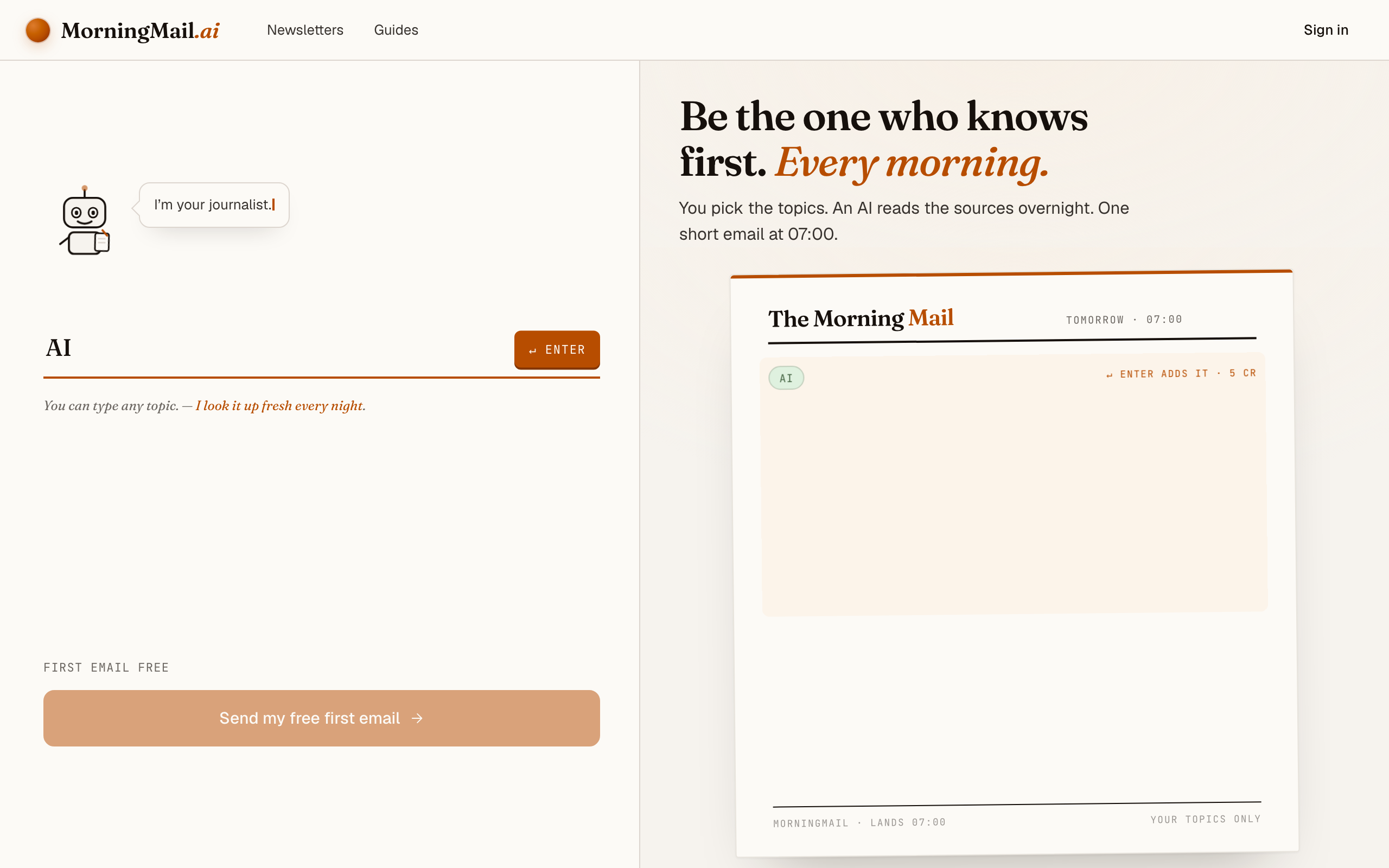
Type AI into that one input. There is nothing to pick and no form to fill — as you type, a draft section forms on the paper beside you, carrying your topic in a tinted badge and the quiet prompt "↵ Enter adds it", and the ↵ Enter key at the end of the input turns orange.
Step 3 Press Enter (or that orange key) — and read what the agent was told
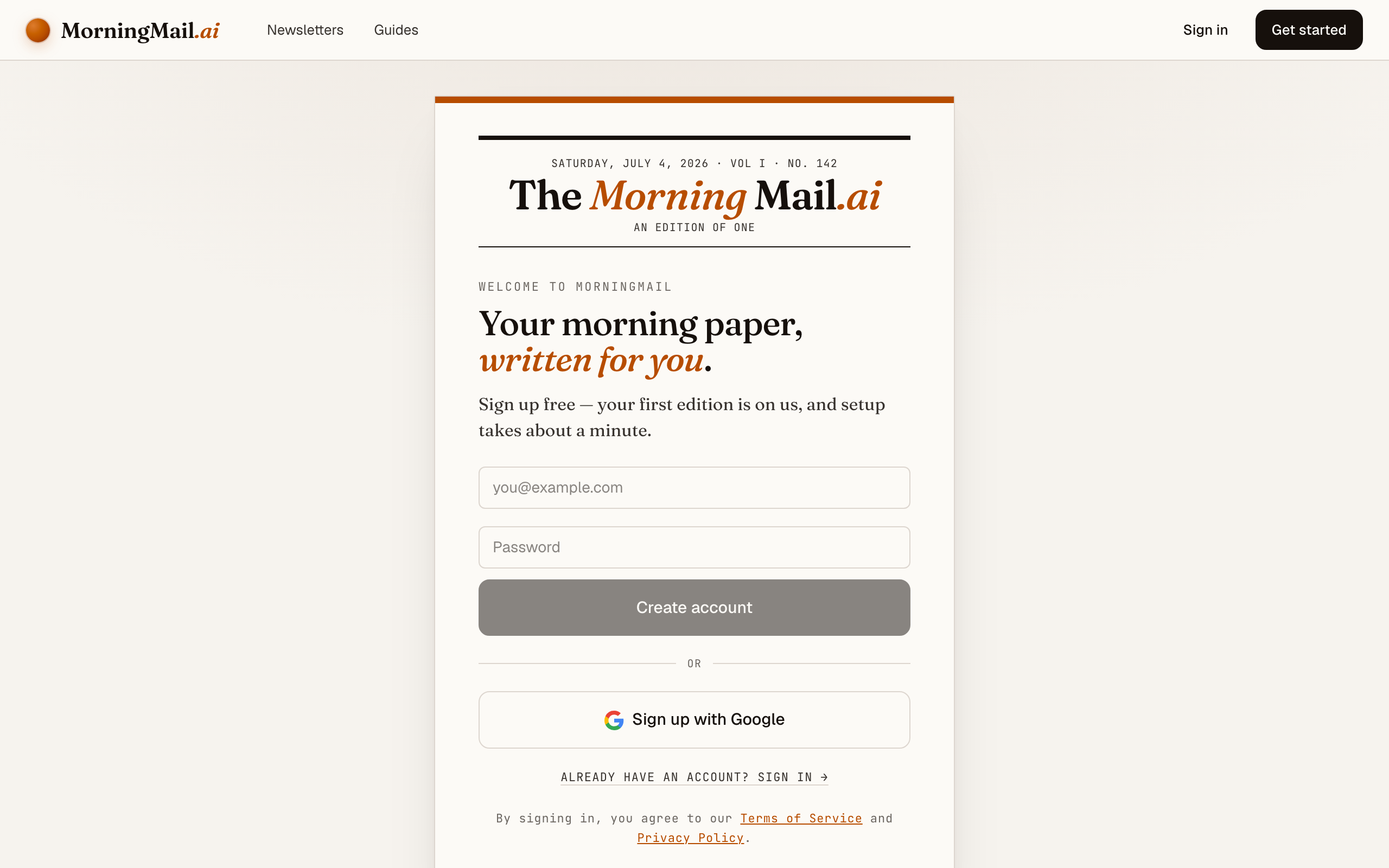
Type your topic into the one big input and press Enter. Here I typed AI. The section lands on the paper carrying three things I didn't have to write: a headline, a beat badge the agent inferred from my words, and the Assignment—the actual instruction it will follow every morning. I read it before an account exists.
The Assignment is deliberately strict—one great thing a day, written for someone who already knows the basics, sources linked—because that restraint is what makes a daily email worth opening. It works untouched, but it's yours: click it and rewrite, or tap a tweak like "+ skip the hype" to add a line such as "focus on practical releases I can actually use."
The exact prompt your section starts withReleases, benchmarks and the sharpest take on AI from the past 24 hours — compressed to what a builder actually needs.
Step 4 Send your free first email
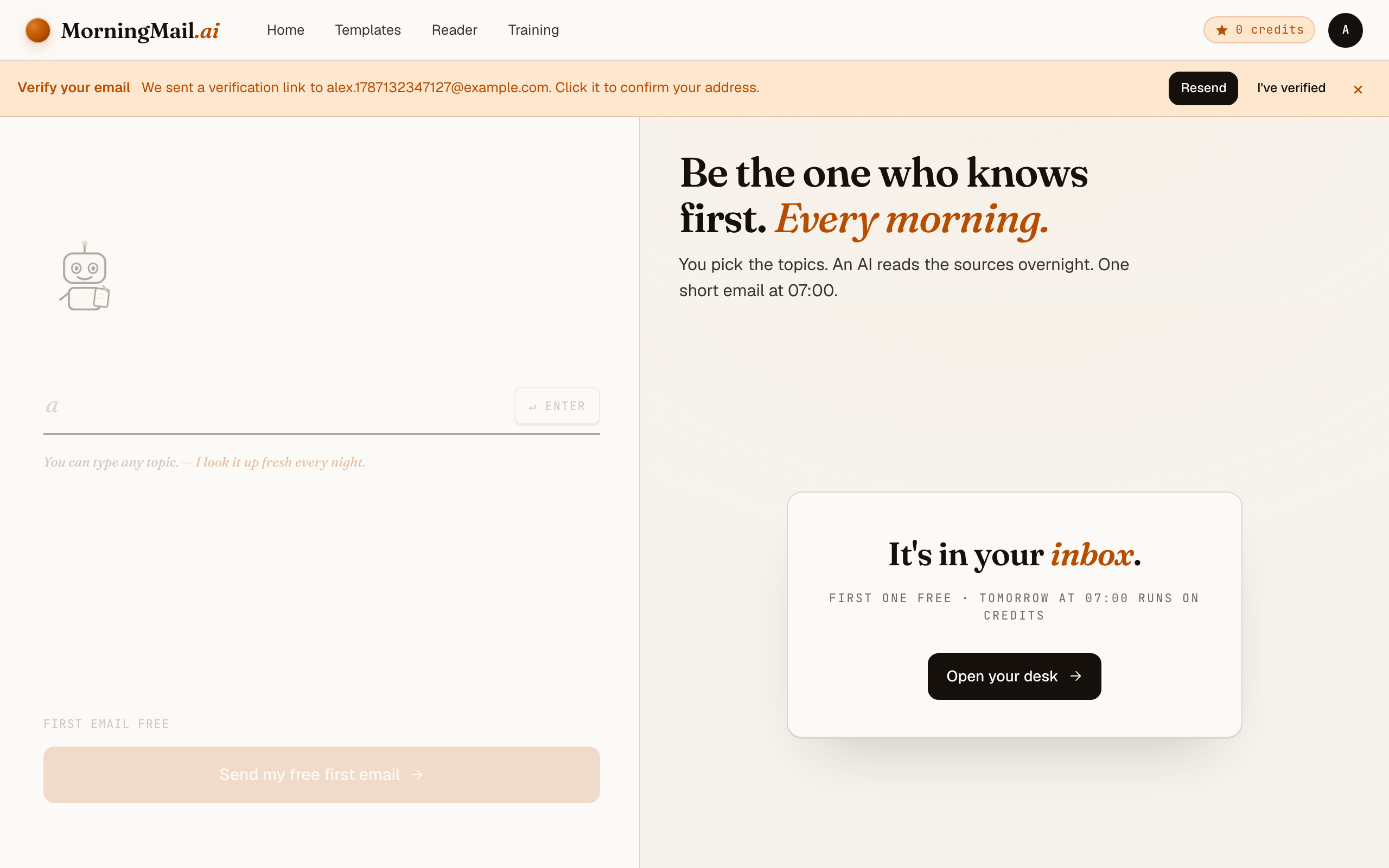
Happy with the paper? Hit “Send my free first email”. The sign-up appears right there — the paper never leaves the screen — and asks the only thing it still needs: where to send it. Email and password, or Google. No card, and the first email is free.
Step 5 Watch it being written
Now the desk goes to work in front of you: working out what to look for, searching the web, reading the best sources, writing your section, composing a subject line, handing it to the post. A minute or two later: "It's in your inbox."
Step 6 Afterwards: the time, the days, the readers
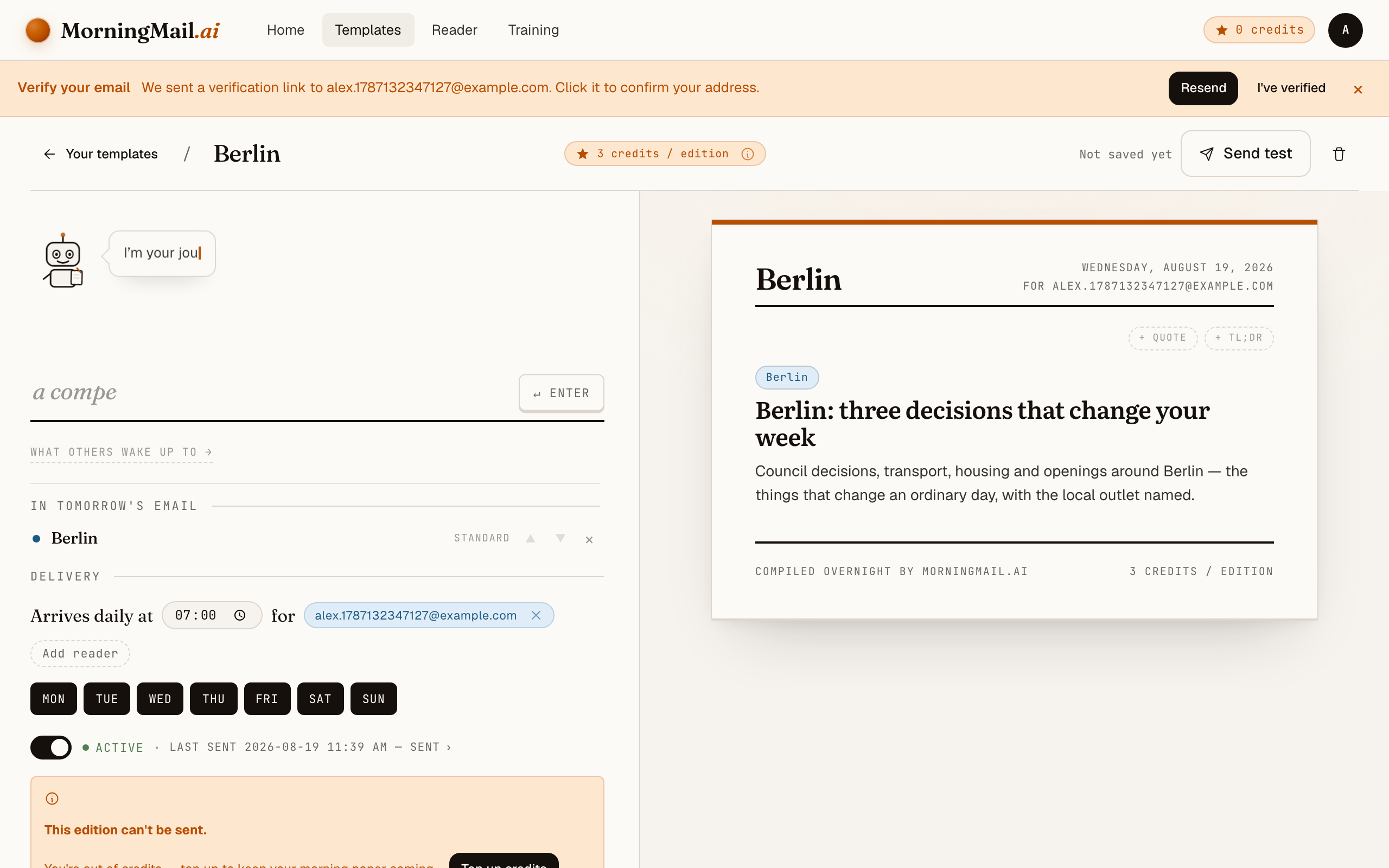
Everything else lives in the builder, once you have a paper to tune. Set the delivery time (07:00 by default) and which weekdays it runs, add readers — up to 100 — and add more topics the same way you added the first: by typing. Nothing here needs deciding on day one.
Get more out of your brief
- Let it write the Assignment first
- You never face a blank prompt box. Type a topic and the instruction arrives already written, tuned to the kind of thing you named—a city, a company, a field, a hobby. Change one line of it and you'll get a better first edition than most people manage after an hour of tweaking.
- Set the time once the paper exists
- Delivery is deliberately not part of composing: your first edition just goes. Afterwards, in the builder, set the hour and the weekdays. A newsletter that lands at 7:00 with your coffee gets read; one that arrives at noon competes with everything else—Monday to Friday is a great default.
- One topic beats ten
- It's tempting to cram five interests into one newsletter. Don't, at least not on day one. A single sharp section—"AI, for a builder"—reads better than a grab-bag, and you can always add a second section later.
- Stack sections for a fuller email
- A template is more than one topic. Add a TL;DR summary up top, a quote to open, or a second news section for a different beat—each section has its own length and tone, so your main topic stays the headline.
- Read the first one before inviting anyone
- The address you sign up with is the first recipient, and the first edition is free—so you see the real thing (subject line, layout, sources) before anyone else does. Happy with it? Add the rest of your readers in the builder, up to 100, and let it run.
Good sources to anchor your brief on
The agent searches the open web every morning and cites where it read things. These are the sources I'd point it at in your prompt:
- Primary sources over aggregators — The best briefs link the thing itself—the release, the filing, the official post—not a blog summarising it. MorningMail's agent is told to prefer primary sources and link them, so every claim is one click from proof.
- The outlet closest to the story — For local news, the town paper; for a company, its own newsroom; for a sport, the federation. Naming the outlet you trust in your prompt steers the agent toward it.
- Reputable trade and specialist press — Every field has a handful of publications insiders actually read. You don't need to list them all—a couple in your prompt teaches the agent the quality bar you expect.
- Official blogs, changelogs and filings — The quiet pages where things are announced first, before the hot takes. A good brief surfaces these and links them so you can verify in one click.
Frequently asked questions
- How much does it cost to run an AI newsletter?
- The first edition is free, no credit card. After that each send costs a few credits per section, priced by the AI model tier the section uses—a simple daily brief is a few cents' worth. Credits never expire, so pausing for a while costs nothing.
- Do I need to know how to write prompts?
- No. The Assignment is written for you the moment you type a topic, so you can send your first newsletter without changing a word. Editing it is there when you want to sharpen the brief—not a hurdle to starting.
- Can I send it to other people, or just myself?
- Both. Add up to 100 recipients per template and everyone gets the same morning email. Plenty of people start with just their own address and add readers once they like it.
- Is this like Mailchimp or Substack?
- Different job. Those are great for newsletters you write yourself. MorningMail writes the content for you from a prompt and a live web search—you're setting up an agent, not a publishing tool. Honestly, a lot of people run both.
- What can I actually make a newsletter about?
- Almost anything specific: a city, a sports club, a company, a tech topic, your profession, a hobby. If you can describe it in a sentence, the agent can search for it every morning. Stuck for ideas? There's a whole guide of them.
Your inbox, your editor
Build your own AI-written brief in two minutes. The first edition is on me — no credit card required.
Build your brief — freeI am always happy to answer questions and I'm open to feedback. Feel free to reach out at any time: marius@morningmail.ai