How to Get Berlin News and Events in English — Every Morning, in Your Inbox
Published July 3, 2026
You're squinting at a Tagesspiegel headline on the U8, running it through a translator, wondering whether it's about your rent. That's the Berlin expat deal: the news that changes your life here is written in a language you're still learning.
Good news — this one has a two-minute fix! 😊 The first edition is free, and tomorrow morning the local news lands in your inbox — in English.
In this guide, I'll show you how to set that up with MorningMail — which I built. I'm a German developer, so the promise is literal: I read the German press so you don't have to. Well — actually, the AI does.
So, let's dive in — it's really easy!
What you'll build
Here's the trick: the brief is written in the language of your prompt. Keep your instruction in English, and every morning the agent reads Tagesspiegel, RBB24 and berlin.de in German — and writes you a short memo in English. Not machine-translated headlines; a real email, composed for you, with the original outlet linked under every claim.
And I do mean writes. The agent isn't forwarding whatever matched a keyword — it searches fresh every morning, reads what happened in Berlin overnight, throws away the noise, and composes a few tight paragraphs.
You choose the mix, too. Flat-hunting? Two-thirds housing and transport, one cultural pick at the end. Here for the other Berlin? Openings and events first, Senate politics only when it hits your Kiez. A newsletter serves its whole mailing list; your prompt serves exactly one reader.
See it live: yesterday's edition
So here's a real example. This is yesterday's edition of exactly this newsletter — written by the agent yesterday morning, based on the example prompt from this guide. Not a mockup: I run it myself on MorningMail.
Edition from October 6, 2026
Three districts racing ahead on housing; Weißensee hits milestone
Weißensee: 74 flats on track
HOWOGE's new Weißensee complex is racing toward February.
The state developer's 74-unit project on Indira-Gandhi-Straße has completed its shell in under a year—raw structure done, windows going in, roof work live [Quelle: Entwicklungsstadt]. Half the units will be publicly subsidized. The building skips car parking entirely—100 bike slots instead—and ships heat pump, solar, and KfW-40 efficiency as standard. The site sits directly on the U-Bahn/tram hub (lines M4, M13, 12, 27), plugging a long gap along Komponistenviertel's eastern edge.
Watch the February handover test whether state-built housing can scale to meet demand.
Lichtenberg: 90 flats from old Intershop
Lichtenberg is flipping a heritage lot into homes.
Developer Livory is converting a 2,080-square-meter site on Eitelstraße—once an East German Intershop, later a Lidl, then a garage—into roughly 90 apartments [Quelle: Entwicklungsstadt]. A building permit is already in hand, though details on floors, design, and subsidy mix remain unsettled. Nearby, Livory is also pushing 124 units at Lückstraße (move-in early 2028), making Weitlingkiez—designated a social preservation zone—a density hotspot in the east.
Two parallel projects signal the district sees value in infill over sprawl.
Kaulsdorf: 18 flats mid-build near S-Bahn
Kaulsdorf's building sprint continues in earnest.
Two three-story apartment blocks are already well underway on Bausdorfstraße, just months after permits landed in January [Quelle: Entwicklungsstadt]. The 18-unit project sits steps from Kaulsdorf S-Bahn station. Next door, the completed Kaulsdorfer Spitze (26 units plus retail) and this twin-block scheme will together deliver 44 apartments on one paired lot—a pattern the district is repeating across Marzahn-Hellersdorf to intensify housing stock near transit anchors.
East Berlin's S-Bahn corridors are becoming density zones by design.
 Indira-Gandhi-Straße: 74 neue Wohnungen für Weißensee7 hours ago ... 74 neue Wohnungen in Weißensee: HOWOGE-Neubau wächst am Komponistenviertel · Bezirk: Pankow · Adresse: Indira-Gandhi-Straße 6, 13088 Berlin · Projektstatus: im Bau ...entwicklungsstadt.de
 DDR-Intershop, Lidl, Wohnungen: Weitlingkiez wird umgebaut9 hours ago ... Bezirk: Lichtenberg; Adresse: Eitelstraße, 10317 ... berlin lichtenberg neubau wohnungen, lichtenberg, wohnbau berlin, Wohnprojekte Berlin, wohnungen berlin ...entwicklungsstadt.de
 Kaulsdorf: Neue Wohnungen an der Bausdorfstraße im Bau21 hours ago ... Bezirk: Marzahn-Hellersdorf ... neubau wohnungen marzahn-hellersdorf, neubauprojekte berlin, Wohnprojekte Marzahn Hellersdorf, Wohnungen Berlin Marzahn ...entwicklungsstadt.de
One click creates your own editable copy — change the prompt, the delivery time, everything.
Browse all editions →You could get this general version into your inbox right now — and then fine-tune it to your very specific needs. Here's how to do it:
Step by step: from zero to your first edition
The whole setup takes about two minutes. And every screenshot below comes straight from the real product — nothing is mocked up.
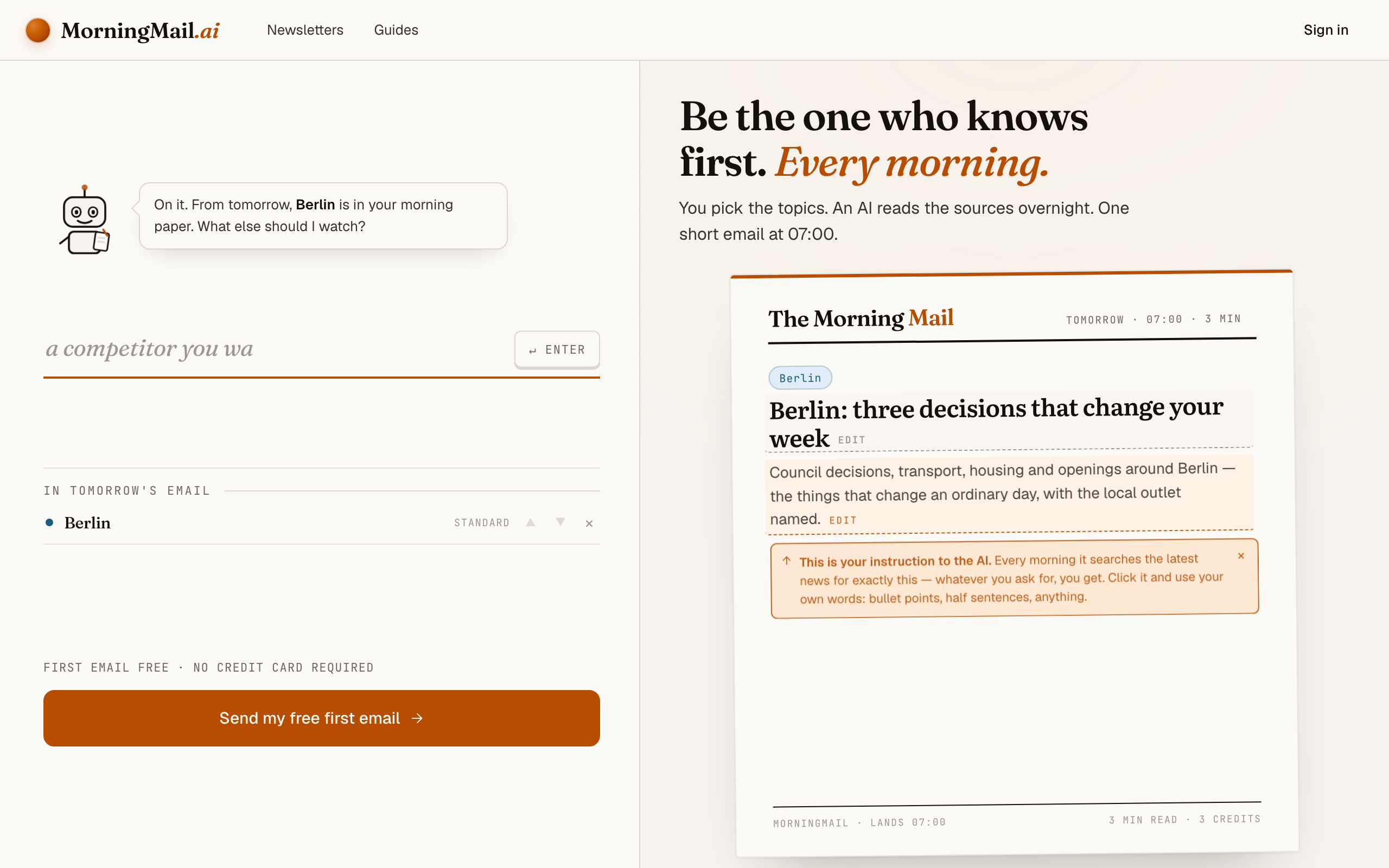
Step 1 Open morningmail.ai
No account yet, nothing to install — the landing page IS where you compose. A friendly press robot introduces itself above one big input, and beside it a sample morning shows you what the email looks like before you have typed a word.
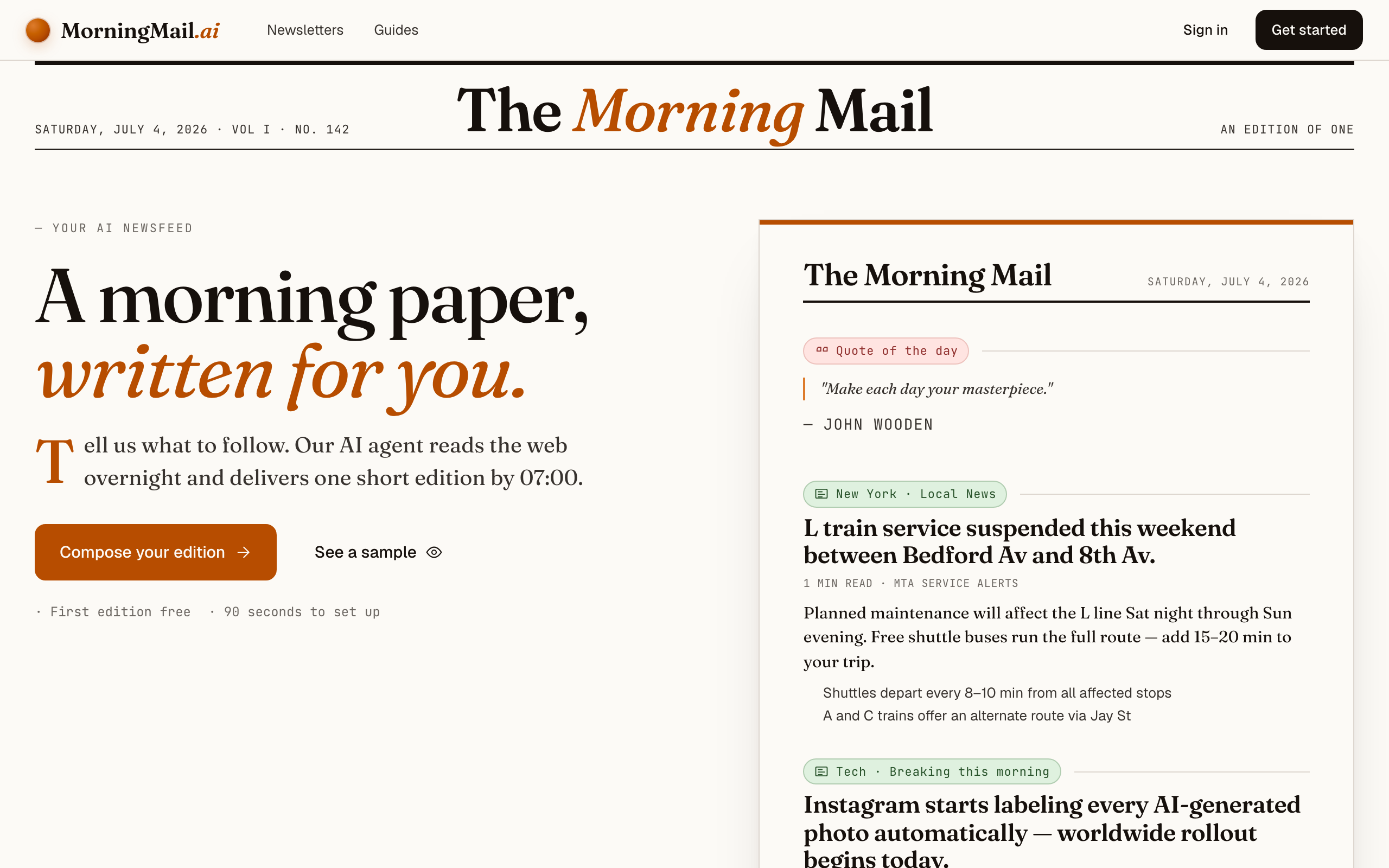
Step 2 Type your topic: Berlin
Type Berlin into that one input. There is nothing to pick and no form to fill — as you type, a draft section forms on the paper beside you, carrying your topic in a tinted badge and the quiet prompt "↵ Enter adds it", and the ↵ Enter key at the end of the input turns orange.
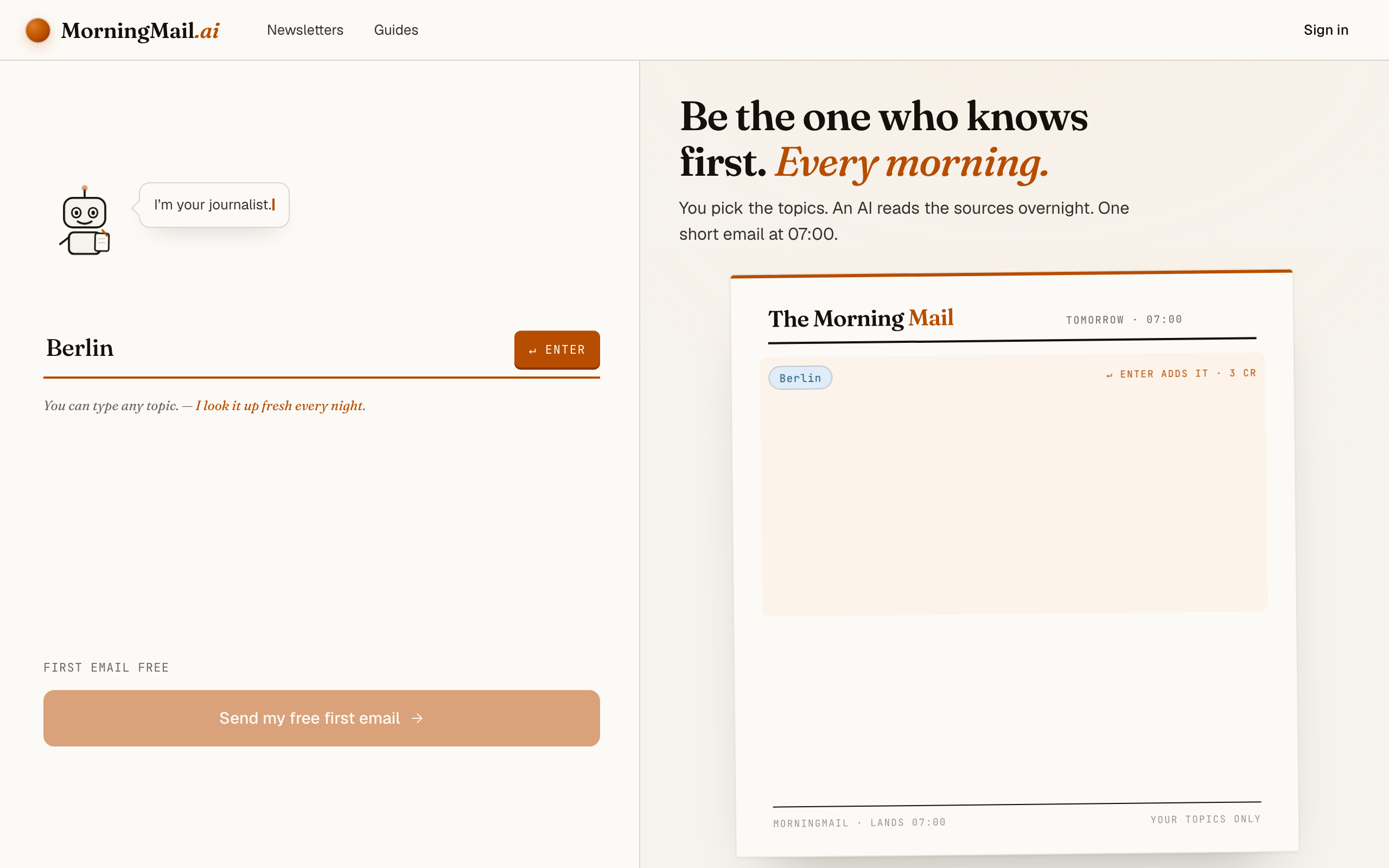
Step 3 Press Enter (or that orange key) — and read what the agent was told
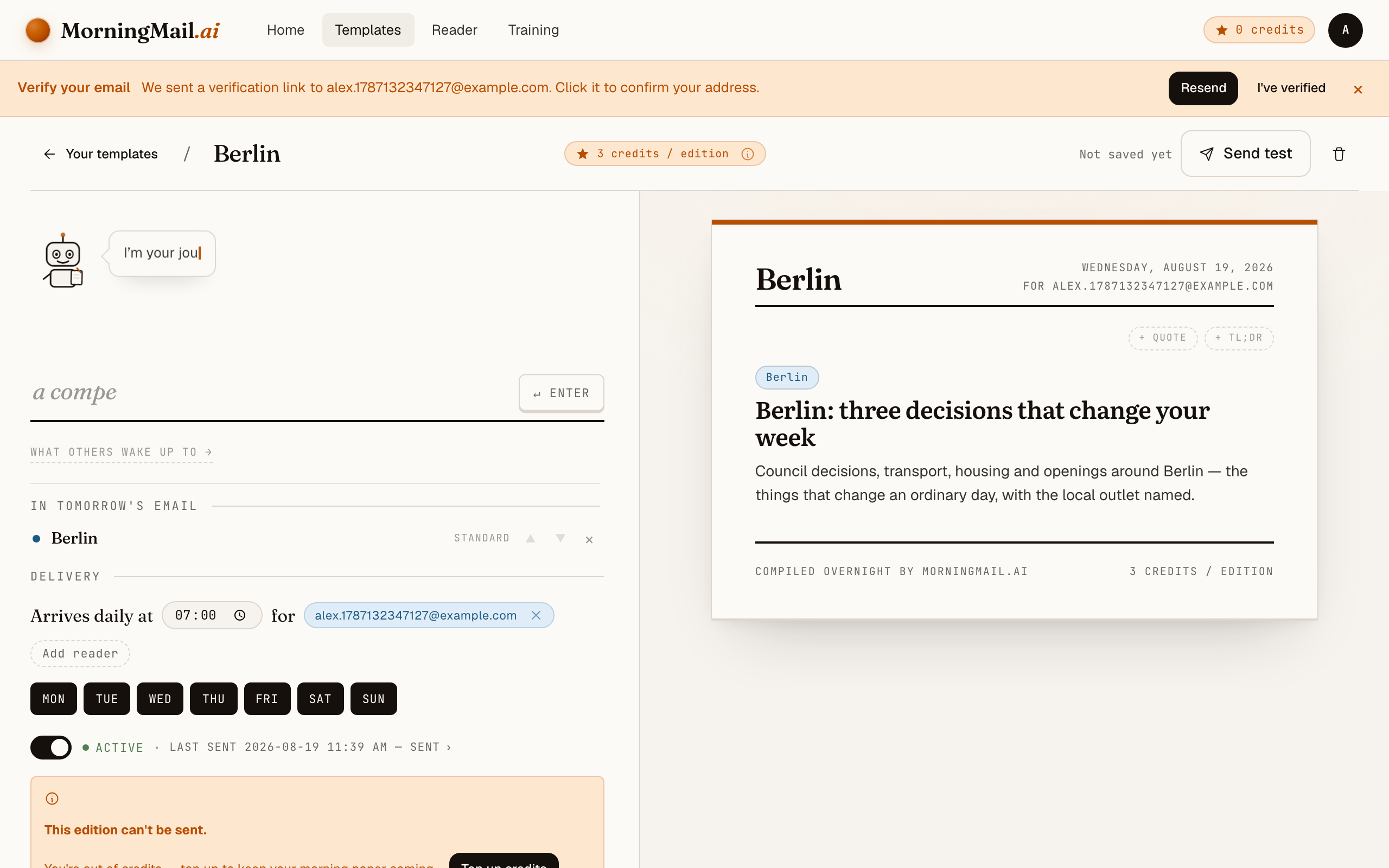
Type Berlin into the one big input on morningmail.ai and press Enter. A place name is recognised as local news, so the section lands with the blue local badge, a suggested headline and an Assignment already written around your city: council decisions, transport, housing and openings around Berlin — the things that change an ordinary day, with the local outlet named. You read all of that before you've made an account.
Then bend it toward your actual life here — it's just text, and it's yours. Click the Assignment and rewrite it, or tap one of the five tweaks under it to append a line; "+ name sources" earns its keep when the sources are German. My favourite addition is one sentence: "On Fridays, include a weekend preview with three events in Neukölln or Kreuzberg, with ticket links." Once the template exists, its weekday chips can even turn that into a separate Friday-only email alongside — or instead of — the daily one.
The exact prompt your section starts withCouncil decisions, transport, housing and openings around Berlin — the things that change an ordinary day, with the local outlet named.
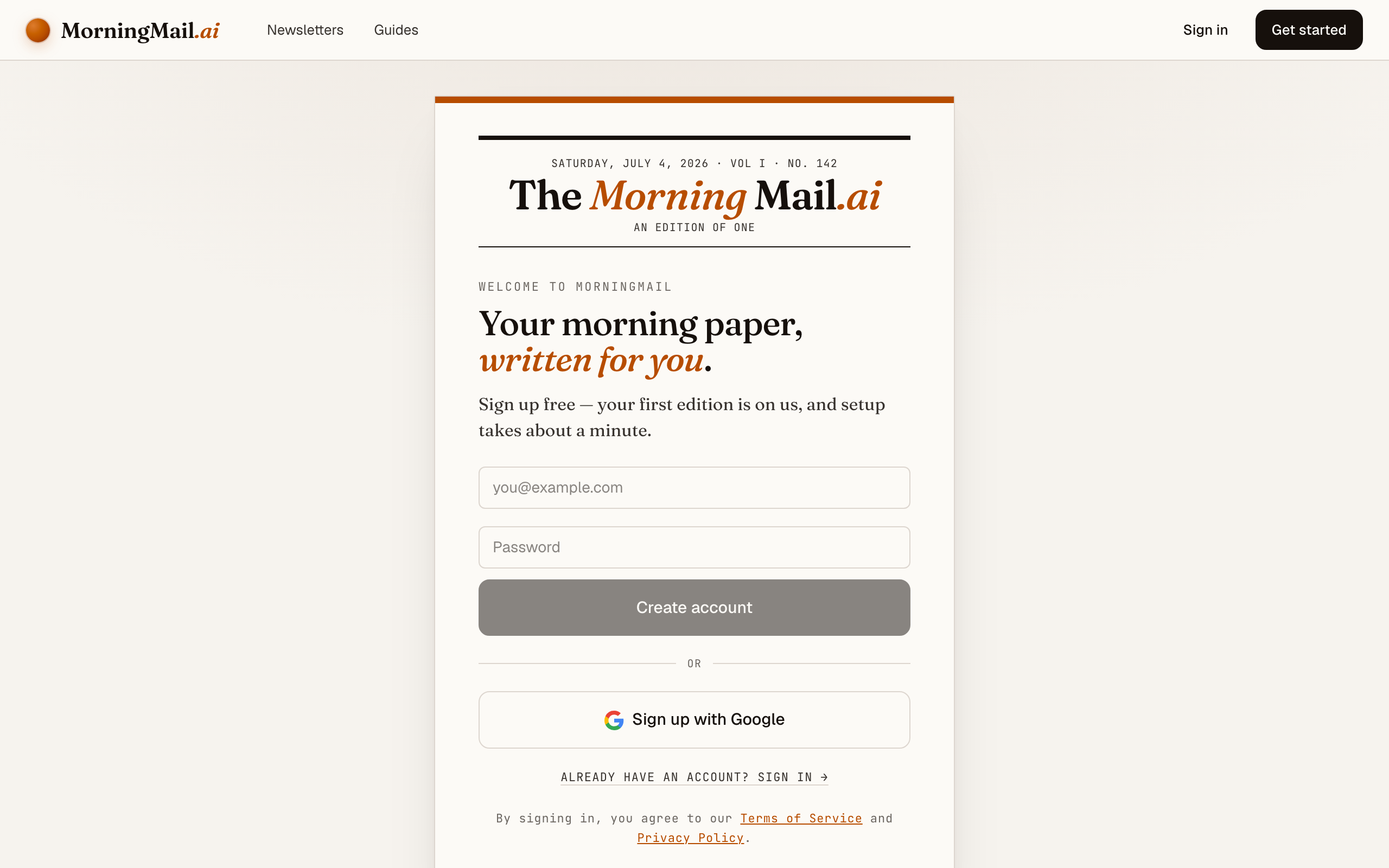
Step 4 Send your free first email
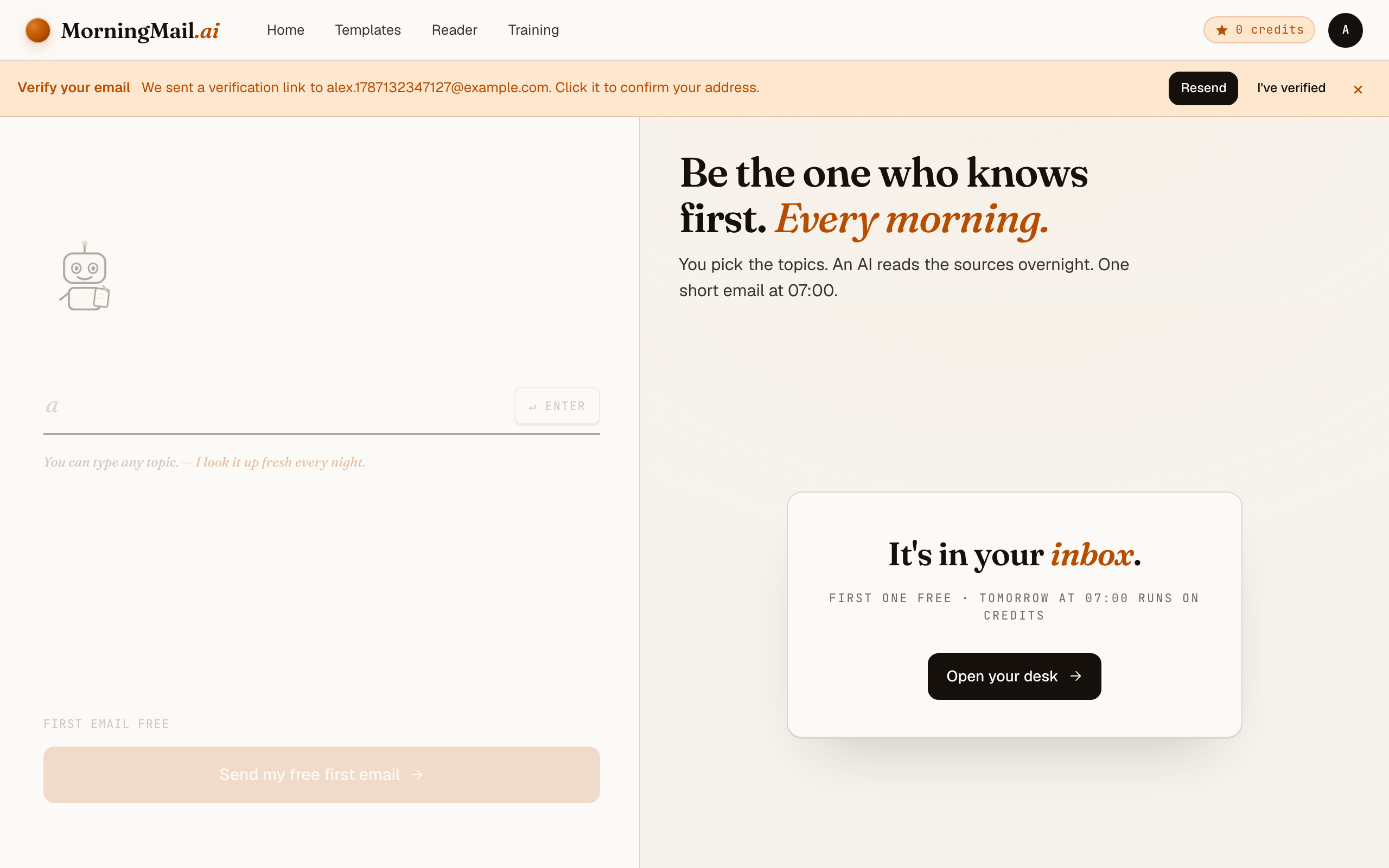
Happy with the paper? Hit “Send my free first email”. The sign-up appears right there — the paper never leaves the screen — and asks the only thing it still needs: where to send it. Email and password, or Google. No card, and the first email is free.
Step 5 Watch it being written
Now the desk goes to work in front of you: working out what to look for, searching the web, reading the best sources, writing your section, composing a subject line, handing it to the post. A minute or two later: "It's in your inbox."
Step 6 Afterwards: the time, the days, the readers
Everything else lives in the builder, once you have a paper to tune. Set the delivery time (07:00 by default) and which weekdays it runs, add readers — up to 100 — and add more topics the same way you added the first: by typing. Nothing here needs deciding on day one.
Get more out of your brief
- Write the prompt in English — that's what makes the brief English
- The agent answers in the language of its instructions: English prompt in, English brief out — even though the sources are German. If you're learning German, flip it and get a daily reading exercise about your own city.
- Name your Kiez, not just the city
- "Berlin" is 3.9 million people's news. One added sentence — "I live in Wedding; prioritise anything affecting Wedding and Gesundbrunnen" — turns a city digest into your street's briefing. Keep one slot for city-wide Senate decisions anyway.
- Make Friday a weekend-preview edition
- Templates have weekday chips, so a brief doesn't have to be daily. My favourite setup: short editions Monday to Thursday, then a Friday edition that leads with three concrete weekend events and where to get tickets.
- Ask for the sky in the Assignment
- Berlin plans live and die by the weather: Tempelhofer Feld in July, a backup museum in November. Add a line to the Assignment — "open with the day's forecast in one sentence, then the events" — and it arrives inside the same brief, no second app.
- Share it with your flatmates or partner
- Templates support multiple recipients, so one brief can land in your whole WG's inboxes — useful when the news is "our street is closed for eight weeks." You can also publish a section to the public community gallery for other Berlin expats to subscribe to.
Good sources to anchor your brief on
The agent searches the open web every morning and cites where it read things. These are the sources I'd point it at in your prompt:
- Der Tagesspiegel — Berlin's paper of record for Senate politics, housing and transport. Much of it is paywalled and all of it is German — your brief distils it into English and links the originals.
- RBB24 — The public broadcaster's news portal and the fastest reliable source for breaking Berlin news: BVG and S-Bahn disruptions, weather warnings, court decisions. Free to read, German only.
- berlin.de — The city's official portal: Bürgeramt services, public notices, construction announcements and the administration's own event calendar. Authoritative but written by bureaucrats — exactly what you want summarised for you.
- Exberliner — Berlin's long-running English-language magazine — strong on culture, food and the expat perspective. It comes out monthly; your daily brief covers the news between issues.
- The Berliner — English-language city magazine with openings, exhibitions and city-life features. Great for depth once your brief has flagged what's worth your weekend.
- Resident Advisor — The definitive listing for Berlin's club and electronic-music scene. If your prompt asks for nightlife, this is where the agent finds what's actually on — with ticket links.
Frequently asked questions
- Do I need to speak German?
- Honestly — no. That's the whole point of this setup: the agent reads Tagesspiegel and RBB24 in German, and your brief arrives in English because your prompt is written in English. The linked originals are usually German; your browser's translator covers the occasional deep-dive.
- What does it cost?
- Your first edition is completely free, no credit card required. After that, sending runs on credits: each section costs a few credits depending on its AI model tier, and credits never expire. A short daily Berlin brief costs a few credits per morning; a Friday-only edition even less.
- Can I get only weekend tips instead of daily news?
- Yes — templates have selectable weekday chips. Schedule the email for Fridays only and point the prompt at a weekend preview: three events, ticket links, one rainy-day backup. Daily and weekly work equally well.
- How is this different from an expat newsletter?
- I read Exberliner too — but a newsletter is one editor's selection for thousands of readers. Your brief is written for exactly one: the agent searches fresh every morning and follows your instruction — your Kiez, your mix of housing versus events, your language. When your interests change, you edit a sentence, not your subscriptions.
- Can I change what the brief covers later?
- Any time — the prompt stays yours. Too heavy on Senate politics? Tell it to lead with openings. Missed a transport story that wrecked your commute? Add "always include BVG and S-Bahn changes affecting Neukölln." The agent re-reads its instructions every morning, so corrections apply from the next edition.
Your inbox, your editor
Build your own AI-written brief in two minutes. The first edition is on me — no credit card required.
Build your brief — freeI am always happy to answer questions and I'm open to feedback. Feel free to reach out at any time: marius@morningmail.ai