How to Get Daily Chess News in Your Inbox — Without Refreshing Chess Twitter
Published July 3, 2026
It's nearly midnight, you fell into chess Twitter an hour ago—and you still don't know how the round in Bucharest actually ended. Fifty takes on a handshake, zero moves.
Good news—you're in the right place! In about two minutes you'll have a daily chess brief set up, and the first edition is free.
In this guide, I'll show you how to get chess news in your inbox every morning using MorningMail, which I built: an AI agent searches the web fresh each day and writes you a short personal email about the chess you care about.
So, let's dive in—it's really easy!
What you'll build
I tried the follow-everything approach for years: fifteen accounts, three subreddits, two YouTube channels. I still missed the rounds that mattered. More sources just meant more noise.
A personal brief flips the model. You write one short instruction, and every morning an AI agent searches the web fresh and writes you an email answering it—not a pile of links, an actual note about a decisive game or a shift in the Candidates race, with the primary sources linked.
One great thing a day beats a firehose. And because the prompt is yours, the brief bends to your chess: classical purist, online blitz addict, theory nerd—your call. Change your mind next month? Edit one sentence, not your follow list.
See it live: yesterday's edition
So here's a real example. This is yesterday's edition of exactly this newsletter — written by the agent yesterday morning, based on the example prompt from this guide. Not a mockup: I run it myself on MorningMail.
Edition from October 6, 2026
Aronian's birthday, SCHACH goes English, Olympiad tactics
German magazine goes global
A 180-year chess dynasty just went English.
SCHACH, Germany's storied chess publication, launched its first English edition on October 1 as CHESS INSIGHT, available digitally for $2.99 per issue [Quelle: ChessBase]. The inaugural issue covers the Grand Chess Tour, Sinquefield Cup, and Dortmund while featuring an extended interview with Peter Leko on coaching Vincent Keymer—combining tournament reporting with deeply annotated games, training material, and psychology. Elisabeth Pähtz and Dmitrij Kollars contribute alongside tournament coverage.
English-language depth just got a lot sharper.
Levon Aronian turns another year
The Saint Louis finalist just hit the calendar.
Levon Aronian celebrates his birthday today, continuing momentum from his American Cup Elimination Bracket victory over Caruana last week [Quelle: Judith Polgar Chess]. The Armenian grandmaster's technical dominance and rapid-game composure in Saint Louis proved he remains among the world's sharpest classical players. He faces Wesley So in the American Cup finals with a classical rematch advantage already on the board.
Defending that edge matters in December.
Olympiad tactics, Guam edition
Teaching chess through winning positions matters.
The US Chess Federation's "Tactics Tuesday" column this week highlights Guam's tactical moments from the 46th Olympiad in Samarkand, mining instructional positions from the record-breaking tournament [Quelle: US Chess]. Breaking down what small delegations like Guam faced against elite competition reveals how preparation and pattern recognition carry players through tough matchups. The Olympiad's depth—4,475 games across 399 teams—produced tactical puzzles worth studying for any intermediate player training upward.
Every Olympiad game teaches someone something.
 If you didn't recognize this brilliant chess player from the first photo ...4 hours ago ... Levon and Judit are two incredible players whose chess skills are only matched by their real-life kind and generous personalities.facebook.com
 Tactics Tuesday: Guam at 46th Olympiad - US Chess Federation6 hours ago ... Chess Clubs · Gold and Silver Affiliates · Guide to a Successful Chess Club · Affiliate Logo Package · Junior Tournament Player Program · Grand Prix Info ...new.uschess.org
 German chess magazine SCHACH launches first English edition as ...5 hours ago ... CHESS INSIGHT aims to offer more than tournament results and moves. Its ... On Forward Chess, games and analyses can be followed directly on an interactive ...en.chessbase.com
One click creates your own editable copy — change the prompt, the delivery time, everything.
Browse all editions →You could get this general version into your inbox right now — and then fine-tune it to your very specific needs. Here's how to do it:
Step by step: from zero to your first edition
The whole setup takes about two minutes. And every screenshot below comes straight from the real product — nothing is mocked up.
Step 1 Open morningmail.ai
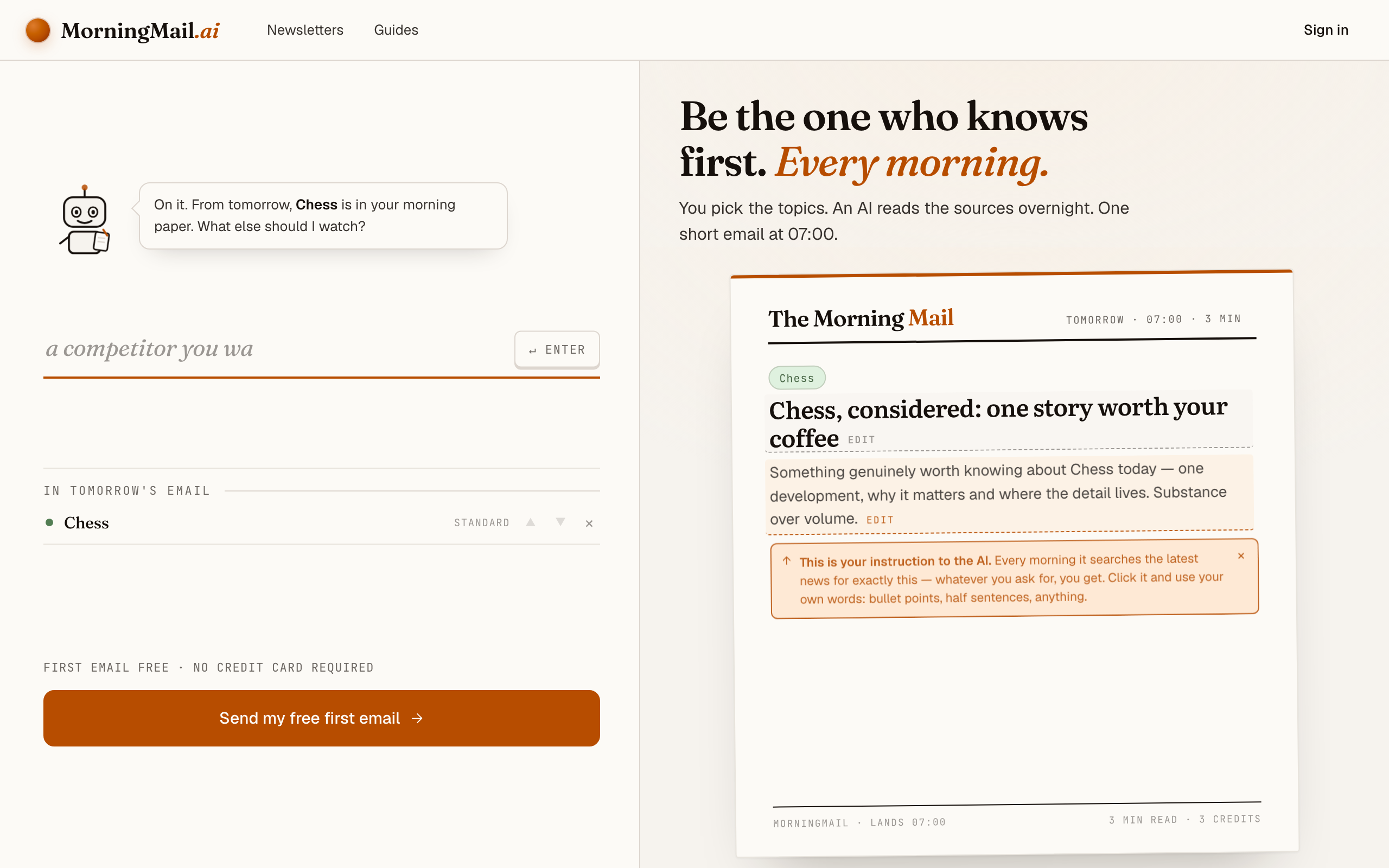
No account yet, nothing to install — the landing page IS where you compose. A friendly press robot introduces itself above one big input, and beside it a sample morning shows you what the email looks like before you have typed a word.
Step 2 Type your topic: Chess
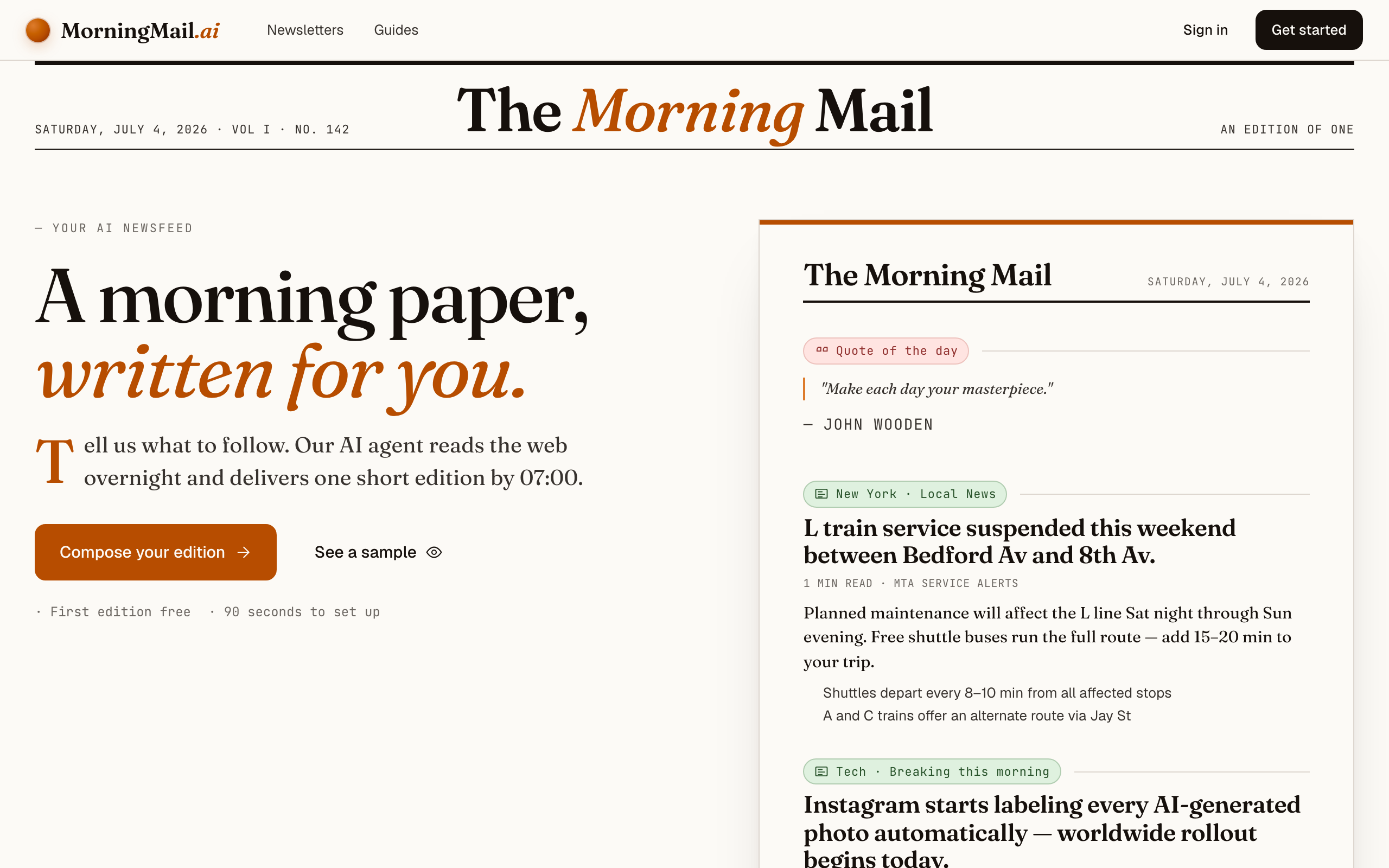
Type Chess into that one input. There is nothing to pick and no form to fill — as you type, a draft section forms on the paper beside you, carrying your topic in a tinted badge and the quiet prompt "↵ Enter adds it", and the ↵ Enter key at the end of the input turns orange.
Step 3 Press Enter (or that orange key) — and read what the agent was told
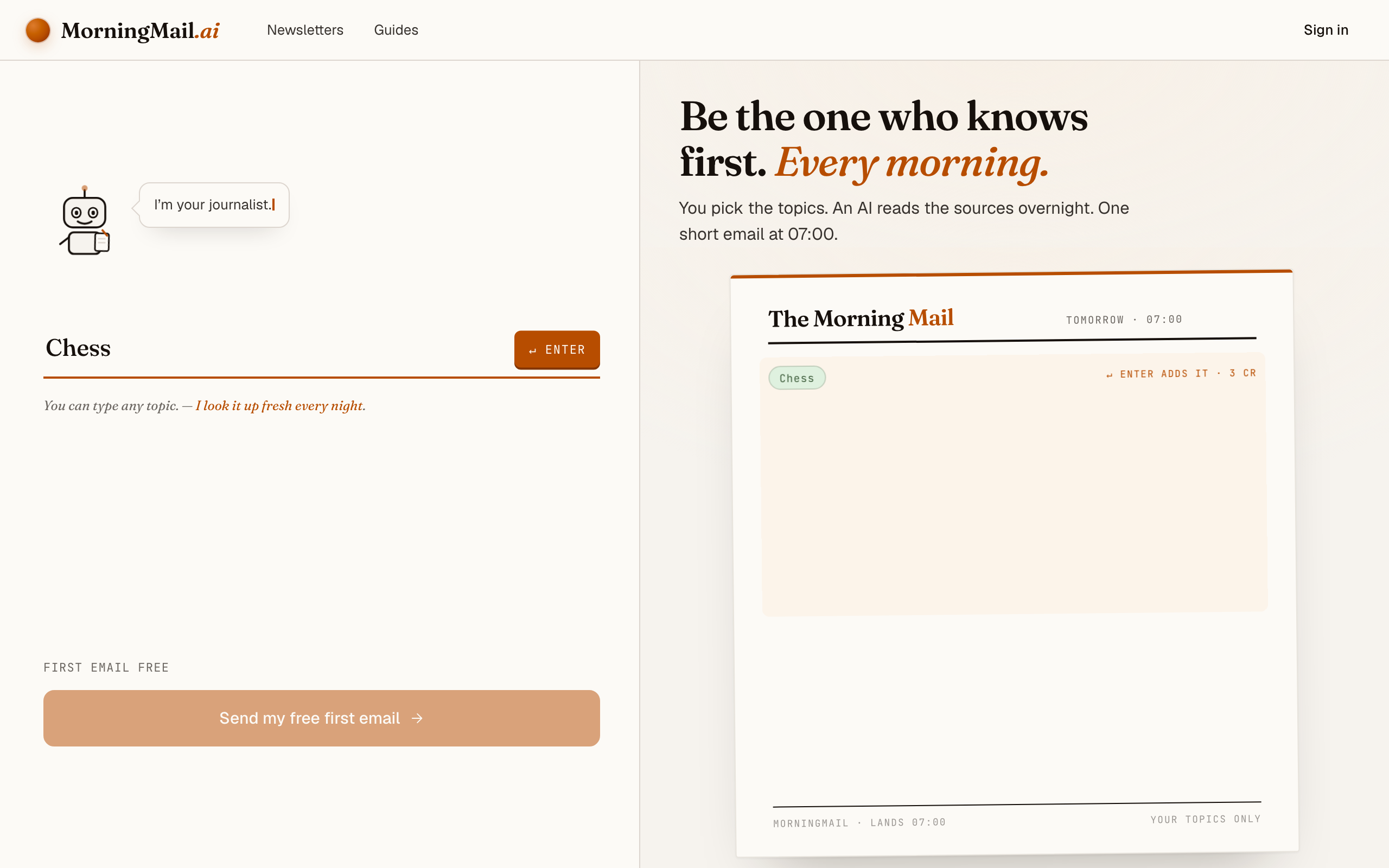
Type Chess into the one big input on morningmail.ai and press Enter. That's the whole first step—no account, nothing to pick: the landing page is the composing surface. The section lands on the paper already finished, carrying a beat badge, a suggested headline and an Assignment written for you—real prose telling the agent what to look for tomorrow morning. You get to read it before you've made an account.
What it asks for is one great thing a day—a game, a result, a story you'd retell at the club—rather than a wall of results. It works untouched, but chess rewards a little sharpening. Click the Assignment and rewrite it in your own words, or tap one of the five one-tap tweaks underneath it ("+ go deeper", "+ name sources") to append a line. Mine reads: "prioritise classical over blitz results; always link one instructive game."
The exact prompt your section starts withSomething genuinely worth knowing about Chess today — one development, why it matters and where the detail lives. Substance over volume.
Step 4 Send your free first email
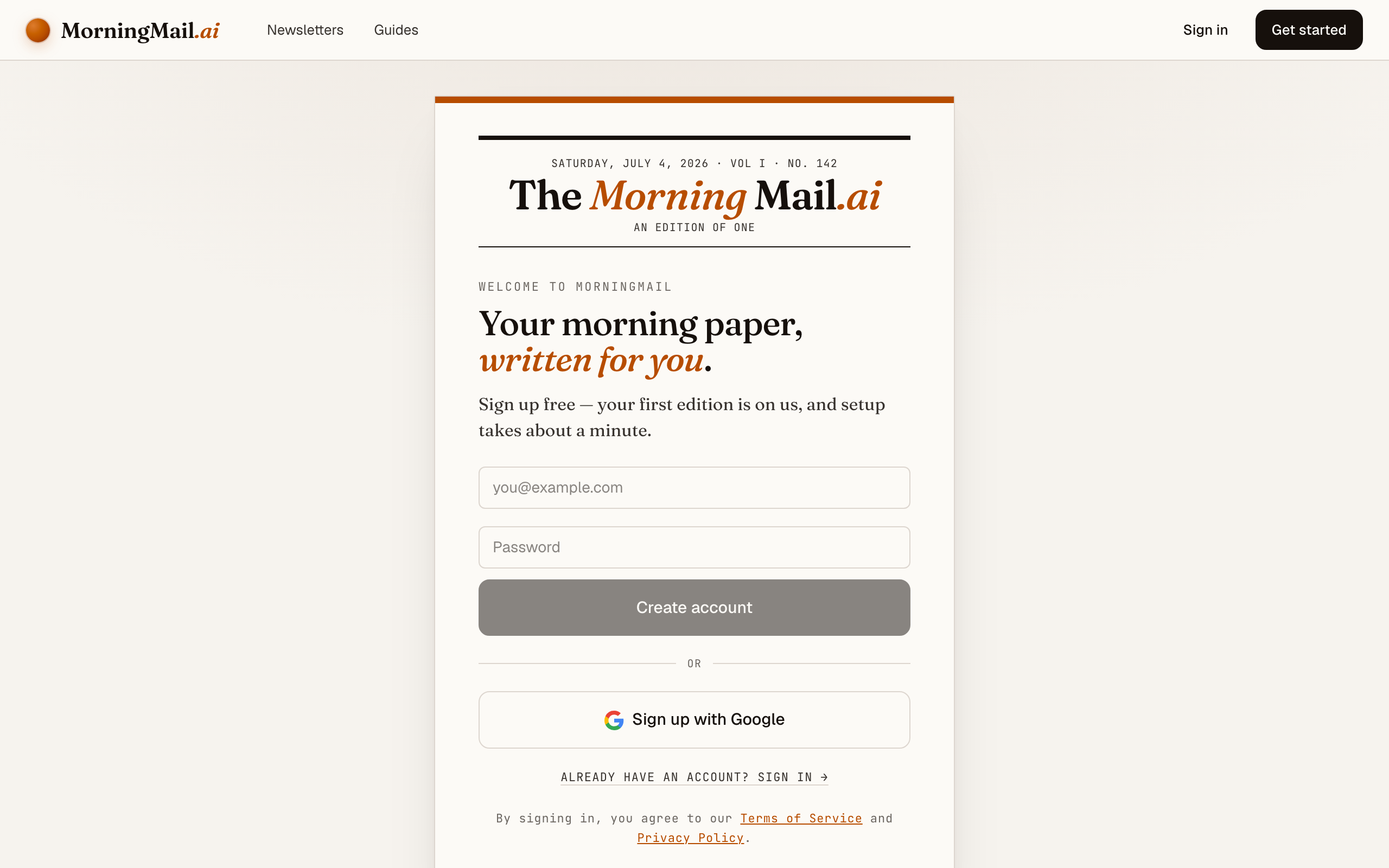
Happy with the paper? Hit “Send my free first email”. The sign-up appears right there — the paper never leaves the screen — and asks the only thing it still needs: where to send it. Email and password, or Google. No card, and the first email is free.
Step 5 Watch it being written
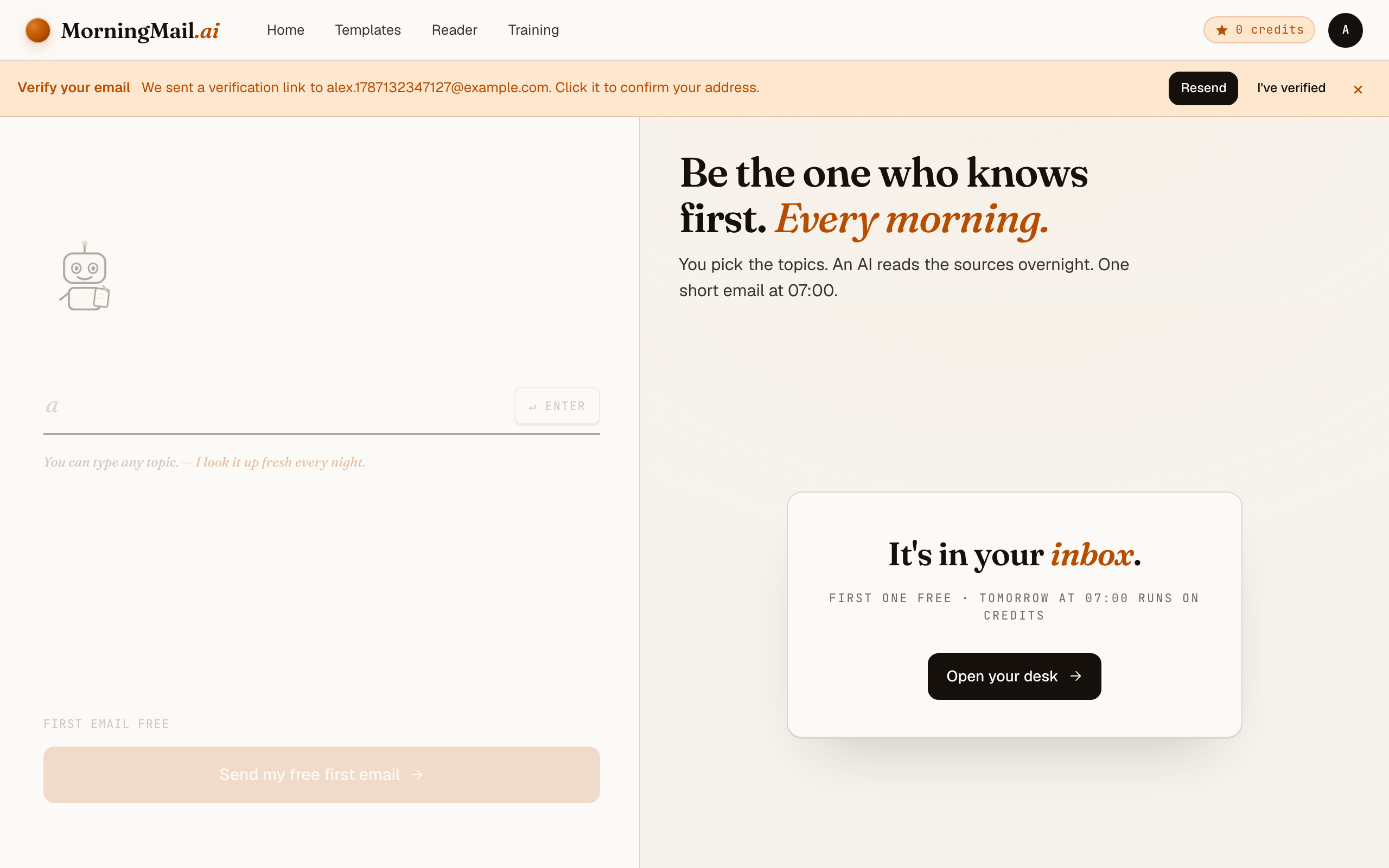
Now the desk goes to work in front of you: working out what to look for, searching the web, reading the best sources, writing your section, composing a subject line, handing it to the post. A minute or two later: "It's in your inbox."
Step 6 Afterwards: the time, the days, the readers
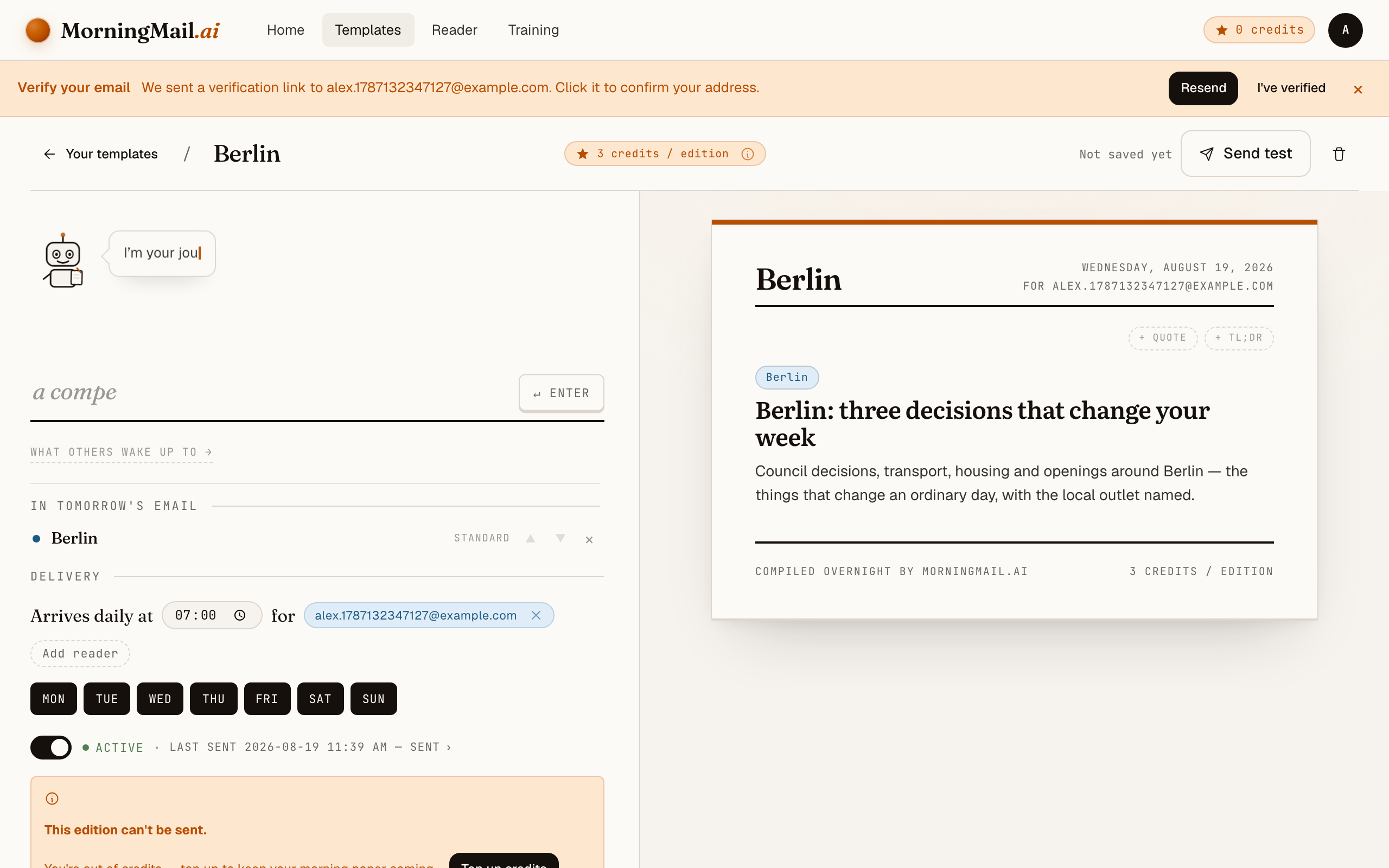
Everything else lives in the builder, once you have a paper to tune. Set the delivery time (07:00 by default) and which weekdays it runs, add readers — up to 100 — and add more topics the same way you added the first: by typing. Nothing here needs deciding on day one.
Get more out of your brief
- Name the events you actually follow
- The chess calendar is huge, and the agent can't guess which slice is yours. One line like "during the candidates cycle, qualification news always comes first" turns a generic digest into your tournament companion. Outside those weeks, the brief drifts back to broader stories on its own.
- Ask for the game, not just the result
- "Who won" is a scoreboard; "why it was interesting" is chess. Add "when you report a game, say in one sentence what made it instructive." The agent links the primary source, so you can replay the moves right away.
- Decide how much engine and opening theory you want
- Some of us love hearing that an engine reassessed the Najdorf; others want humans only. Say it explicitly: "include opening or engine news only when it changes practical play." That keeps the theory useful instead of academic.
- Match the cadence to the chess calendar
- You pick delivery weekdays with a tap on the weekday chips. I'd go daily during a super-tournament and two mornings a week between events—dense beats padded. The prompt stays untouched either way.
- Give the rest of the email a job too
- Your template can carry more than chess. Type a second topic for the club scene near you, add a quote up top, or a TL;DR that opens the whole edition. Each section keeps its own Depth and tone, so the chess part stays the main course.
Good sources to anchor your brief on
The agent searches the open web every morning and cites where it read things. These are the sources I'd point it at in your prompt:
- FIDE — The governing body's own channel — world championship cycle news, candidates pairings, rating lists and official regulations, straight from the source your brief will link to.
- The Week in Chess (TWIC) — Mark Crowther's legendary game collection and news roundup, running since 1994. The canonical record of what was actually played, trusted by titled players and hobbyists alike.
- Chess.com News — Coverage of the biggest online and over-the-board events, including the Speed Chess Championship and Titled Tuesday — plus interviews and event reports with broad reach.
- Lichess — The open-source platform's blog and broadcast hub. Strong on community tournaments, studies and thoughtful long-form writing about the online game.
- ChessBase News — Deep analytical reporting with a strong training angle — annotated games, opening surveys and engine-informed analysis from the company behind the database most professionals use.
- New In Chess — The magazine the top players themselves read. Interviews, tournament essays and annotated games with a literary quality that outlasts the news cycle.
Frequently asked questions
- What does a daily chess brief cost?
- The first edition is free, no credit card needed. After that, each send costs a few credits per section, depending on which AI model tier the section uses—and credits never expire, so an events-only cadence wastes nothing.
- Why not just follow chess accounts on social media?
- Honestly—I tried, for years. Feeds optimise for engagement, and fifty posts about a handshake controversy will always outrun one quietly brilliant endgame. Your brief works from your written instruction instead: searched fresh each morning, noise skipped, one story written for you with sources linked.
- Will it cover both over-the-board and online chess?
- Whatever you ask for. The prompt is fully editable, so weight it towards classical tournaments, towards Lichess and Chess.com events, or an explicit mix—"online results only when a top-ten player is involved" works fine.
- Can I get the brief only on days I have time for chess?
- Yes. Every template has a delivery time and selectable weekdays, so a Monday-and-Friday chess brief is two taps away. Many players go daily during big events and weekly in between.
- Does it work in German or other languages?
- Write your prompt in the language you want to read—the brief is always written in the language of your instructions. The MorningMail interface itself is available in English and German.
Your inbox, your editor
Build your own AI-written brief in two minutes. The first edition is on me — no credit card required.
Build your brief — freeI am always happy to answer questions and I'm open to feedback. Feel free to reach out at any time: marius@morningmail.ai